
Talking Tom Cat Designer
Play Count0
Published2020-07-02
Supported DevicesPC + Mobile
CategoryGirls & Lifestyle
Rating★★★★★5.0Rate this game
📝Talking Tom Cat Designer Overview
Ever wondered what Tom would look like with a rainbow mohawk and glitter eyeliner? Now you get to find out—and he'll actually love it.
💬What is Talking Tom Cat Designer?
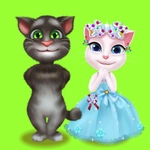
Look, I've played a lot of dressing-up games, but there's something stupidly charming about giving Talking Tom a full makeover while he purrs and blinks at you. You start with a basic gray tabby and a blank canvas of a cat. From there it's pure chaos: hair dyes, face paints, collars, hats, sunglasses, even little tattoos if you squint. The tools are laid out left to right, and each click layers a new accessory on Tom's face or body. I spent way too long trying to give him mismatched earrings and a tiny bow tie. He doesn't care. He just vibes.
The real hook is that Tom reacts as you work. Pick a color and he tilts his head like he's judging your taste. Slap on a pair of heart glasses and he'll bob along to an invisible beat. It's subtle, but it makes the whole thing feel interactive instead of just a static paper doll. The undo button is your best friend when you realize the neon green eyeshadow makes him look like a goblin, not a rockstar. There's no score, no timer, no wrong way to play—which is exactly why I kept coming back between matches of other stuff.
If you're after a mindless creative sandbox that doesn't demand anything from you, this one lands. It's simple, a little goofy, and perfect for when you just need to decorate a cat at 2 a.m. without explaining yourself to anyone.
👥How to Play Talking Tom Cat Designer
MOUSE
✨Game Tips
Test every accessory on Tom before committing to a color combo—he doesn't mind, and you can always undo.
Use the face paint tab for patterns like stars or freckles; they add way more personality than plain colors.
Double-click any accessory to remove it instantly instead of searching for the undo arrow.
Try stacking multiple hats or glasses—some clip together in hilarious ways.
If Tom's reaction has you second-guessing a choice, ignore him; he'll purr at literally anything if you wait long enough.
Save your wild designs by taking a screenshot, since the game doesn't have a gallery button.
🔧FAQ
Q: Is Talking Tom Cat Designer free to play?
A: Yes, the full game runs free in your browser with no paywalls or locked items.
Q: Can I play Talking Tom Cat Designer on my phone?
A: It works fine on mobile browsers via touchscreen, though a mouse gives you more precise accessory placement.
Q: Do I need to download anything to start playing?
A: No downloads or installs at all—the game loads straight from the web page.
Q: Does Talking Tom Cat Designer have any offensive content?
A: No, it's a lighthearted dress-up game with no violence, gore, or mature themes.
Q: Can I undo mistakes while decorating Tom?
A: Absolutely, there's an undo button that reverses your last action instantly.
Q: Is there a way to save designs I've made?
A: The game doesn't have built-in saves, but you can screenshot your screen to keep a copy.