
Tank Parking 3D Sim
Play Count0
Published2021-09-24
Supported DevicesPC
CategoryAction & Fighting
Rating★★★★★5.0Rate this game
📝Tank Parking 3D Sim Overview
You've never parallel parked anything like this: 30 tons of armor, a ticking clock, and rounds that actually punch holes.
💬What is Tank Parking 3D Sim?
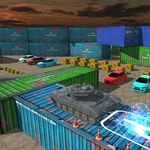
Parking a tank sounds like a joke until the barrel clips a concrete pillar and you're stuck sideways with a target timer blinking red. That's the exact moment Tank Parking 3D Sim stops being a casual driving toy and starts feeling like a precision puzzle with heavy armor. You roll a full-size tank through tight courses, line up inside glowing markers, and then swing the turret to blast targets before the clock runs dry. The loop is simple: park, shoot, move to the next zone. But the tank doesn't handle like a car. It pivots, drifts, and carries serious momentum, so every correction matters.
What kept me coming back is the camera system. Press C and you cycle from a chase cam to a top-down view to a first-person inside-the-turret angle. For parking, top-down is a lifesaver—you can see exactly how far the tracks stick out past the hull. For shooting, first-person feels incredible. You hear the round echo, see the shell drop slightly, and then watch a target crumple. The mouse look and left-click firing are responsive, but the turret rotation isn't instant, so you'll miss a lot if you're not stopped.
The difficulty ramps up without being unfair. Early levels teach you the width of the tank, later ones force you to thread between barriers with inches to spare, then shoot three targets in a row with limited time. I had one level where I parked perfectly, switched to first-person, and realized my barrel was pointed straight at a wall. Had to back out, reset the angle, and do it all over. Frustrating? A little. But when you nail it, it feels earned. If you want a driving sim with more boom and less brake, this one scratches that itch.
👥How to Play Tank Parking 3D Sim
Tab - Menu
'ARROWS' keys or 'WASD' keys to drive
'C' key to change view (camera)
'Mouse' Look around
'Left Mouse' Shooting
✨Game Tips
Use C to cycle cameras before squeezing into narrow slots—top-down view makes alignment way easier.
Tap the throttle instead of holding it; tanks carry momentum and you'll overshoot the marker constantly.
Line up your shot before switching to mouse aim, then fire in short bursts.
Learn the tank's pivot point—forward-left spins you sharper than just turning the hull.
If a target seems blocked, back up and reposition instead of wasting ammo.
🔧FAQ
Q: Is Tank Parking 3D Sim free to play?
A: Yes, it runs free in your browser with no downloads or sign-ups required.
Q: Can I play Tank Parking 3D Sim on mobile?
A: The game is designed for keyboard and mouse, so a desktop or laptop is recommended. Touch controls aren't supported.
Q: Do I need to install anything to start?
A: No, just open the game page and it loads instantly as an HTML5 title.
Q: Which keys control the tank?
A: Use WASD or arrow keys to drive, C to change camera, mouse to look around, and left click to shoot.
Q: Does Tank Parking 3D Sim have multiple levels?
A: Yes, you'll face different parking layouts and target placements that get trickier as you progress.
Q: Can I save my progress in the game?
A: Progress may reset when you close the tab, so try to finish a session in one go.