
Tap to Fish
Play Count0
Published2025-06-23
Supported DevicesPC + Mobile
CategoryArcade & Classic
Rating★★★★★5.0Rate this game
📝Tap to Fish Overview
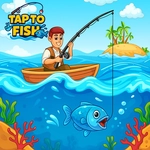
Your boat bobs on pixel waves, finger poised over the screen, as shimmering fish dart below—how many can you tap before the timer hits zero?
💬What is Tap to Fish?
I'll be honest: when I first opened Tap to Fish, I expected another throwaway clicker. Five minutes later I was still chasing a stupidly rare golden trout that kept slipping between my taps. The premise is brutally simple—fish pop up, you tap them, you get points—but the timing and variety keep it from feeling like mindless spam. Schools scatter, some fish move faster, and occasionally a big shadowy shape glides across the screen that's worth way more if you can land three taps before it disappears. That's where the 'one more round' itch kicks in.
The controls are just mouse or touch, so you can play it one-handed while pretending to pay attention in a meeting or during a boring class. The pixel art is charming in an unpretentious way—no over-the-top effects, just clean, readable fish that don't blur into the background. I appreciate that the hitboxes feel fair; when you miss, it's because you were too slow, not because the game cheated. There's a subtle combo system if you tap several fish in quick succession, which rewards aggressive play without punishing you for missing. It's the kind of arcade game that works perfectly as a three-minute break but can also eat an hour if you're competitive about your high score.
One thing real players will notice: the timer forces you to prioritize. Early on, you might waste taps on tiny minnows; eventually you learn to wait for the medium and large fish, especially when the screen gets crowded. I found myself holding my breath during the final ten seconds, frantically tapping at a cluster of salmon while a sea turtle waddled past at half speed. It's not complicated, but it's honest fun. No ads interrupting your flow, no forced tutorials, just tap and go.
👥How to Play Tap to Fish
Use Mouse for desktop and Touch Controls for mobile device
✨Game Tips
Focus on bigger fish first—they're worth more and vanish faster, so don't waste time on minnows.
Tap in quick bursts to trigger combo multipliers; consecutive hits within a second stack up.
Watch for the golden fish that appears rarely; it moves erratically but gives a huge score bonus.
Use two fingers on touchscreens or rapid mouse clicks to cover more of the screen when fish swarm.
Don't chase every fish at once—pick a path and clean out a section before moving on.
If your finger blocks your view, try tapping slightly below the fish; the hitbox is more forgiving than it looks.
🔧FAQ
Q: Is Tap to Fish free to play?
A: Yes, it's completely free with no in-game purchases or paywalls.
Q: Can I play Tap to Fish on my phone or tablet?
A: Absolutely—it works on any modern browser with touch controls.
Q: Do I need to download anything to play?
A: No downloads or installs required; just open the webpage and start tapping.
Q: Does Tap to Fish work on a school Chromebook?
A: Yes, since it runs in a browser via HTML5, it works on most school devices.
Q: How do I get a high score in Tap to Fish?
A: Prioritize large and rare fish, keep combos alive, and stay calm during the final seconds.
Q: Is there a pause option or offline mode?
A: You can pause by clicking outside the game area, but offline play isn't supported without an internet connection.