
Taxi Driving City Simulator 3D
Play Count0
Published2022-07-25
Supported DevicesPC
CategoryDriving & Racing
Rating★★★★★5.0Rate this game
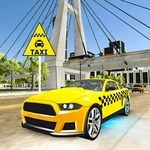
📝Taxi Driving City Simulator 3D Overview
Weave through gridlocked streets, grab impatient fares, and floor it against the city clock in a 3D taxi sim that never eases up.
💬What is Taxi Driving City Simulator 3D?
The first time I slid behind the wheel in Taxi Driving City Simulator 3D, I clipped a lamppost trying to pick up a fare across three lanes. That's the kind of game it is—no hand-holding, just you, a cab, and a city full of impatient people.
You use the keyboard to steer, accelerate, and brake. That's pretty much it for controls, but don't mistake simple for easy. The streets are narrow, traffic doesn't care about your schedule, and every passenger has a patience meter that drains fast if you take a wrong turn. I kept messing up on left-hand corners until I learned to tap the brake early—momentum will slide you straight into a parked car otherwise. The minimap shows fare locations, but you still have to read the one-way signs or you'll lose twenty seconds circling back.
What I appreciate is how the game never lets up. Each successful drop-off racks up cash, and you'll want to spend it on a better cab because the starting taxi handles like a shopping cart with a loose wheel. The city itself isn't massive, but it's dense enough that you'll learn shortcuts after a few runs—like cutting through the alley behind the market to shave off half a block. Just don't get cocky. The moment you think you've memorized every street, the game throws a rainy night or a double fare at you. It's frustrating in the best way, and I kept coming back for one more run to beat my own time.
👥How to Play Taxi Driving City Simulator 3D
Keyboard control
✨Game Tips
Tap the brake early when turning—momentum will slide you into walls if you wait too long.
Keep an eye on the minimap for passenger icons and plan your route before you start moving.
Use short, controlled accelerations instead of holding the gas down; traffic appears fast.
Don't ignore one-way streets—they'll cost you time and patience bars.
Upgrade your taxi after a few successful runs; the handling difference is night and day.
Watch for alley shortcuts between buildings, they can shave seconds off your best route.
🔧FAQ
Q: Is Taxi Driving City Simulator 3D free to play?
A: Yes, it's completely free online with no hidden paywalls.
Q: Can I play Taxi Driving City Simulator 3D on my phone?
A: It's designed for keyboard controls, so a desktop or laptop works best.
Q: Do I need to download anything to play?
A: No downloads needed—just open your browser and start driving.
Q: What are the keyboard controls?
A: Use arrow keys or WASD to steer, accelerate, and brake. Spacebar often acts as handbrake.
Q: Is there a time limit for each passenger?
A: Each fare has a patience meter that drains; run out and you lose the fare and cash.
Q: Can I save my progress between sessions?
A: Your high scores and cash may reset when you close the tab, so aim for a long run.