
Tec Tak Toe Pro
Play Count0
Published2025-07-22
Supported DevicesPC + Mobile
CategoryAction & Fighting
Rating★★★★★5.0Rate this game
📝Tec Tak Toe Pro Overview
Outsmart the AI in Tec Tak Toe Pro, where a sneaky 'undo their move' button flips the classic X and O battle on its head.
💬What is Tec Tak Toe Pro?
Tec Tak Toe Pro takes the childhood pencil-and-paper stalemate and bolts on a nasty little twist: you can watch a short ad to erase your opponent's last move and steal that square for yourself. If you've ever lost a game because you clicked one row too low, you know how tempting that button gets. It turns a solved game into a mind game—do you burn your rewind early to grab the center, or save it for a desperate save later?
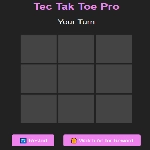
The board works exactly like you'd expect. Tap a cell, drop your X or O, then the AI (or a second player sitting next to you, depending on the mode) responds. But that rewind button changes everything. You can't just follow the classic fork patterns anymore; you have to predict when your opponent will rewind you, and maybe bait them into wasting it. I found myself deliberately playing 'bad' moves to see if the AI would spend its erase on a harmless spot, then I'd counter with a real threat. It's devious and honestly more fun than it has any right to be.
The ad button is always there, glowing like a lifeline, but each use costs you a few seconds of ad time. For a free unblocked game, that's a fair trade—nothing downloads, it runs right in the browser. The reset button is instant, and matches are quick enough that you can squeeze in a round during a boring class. Just don't blame me when you realize the AI is a sore loser with that rewind.
👥How to Play Tec Tak Toe Pro
Tap/Click on a Cell:
Place your symbol (X or O) in the selected cell.
Rewarded Ad Button:
Watch an ad to remove the opponent’s last move and get another chance to play in that spot. This gives you a strategic advantage!
Reset Button:
Start a new gam
✨Game Tips
Save your rewind for when the opponent is one move away from a win—undoing a harmless early move is a waste.
Try baiting the AI into spending its rewind by placing a decoy threat far from your real plan.
If you go first, grab the center square. Even with rewinds, center control still matters.
Watch the ad button only when you truly need it; each use interrupts your rhythm.
After a rewind, don't immediately retake the same spot—rethink if that square actually helps you now.
Reset early if the board locks into a forced loss; there's no shame in a fresh start.
🔧FAQ
Q: Is Tec Tak Toe Pro free to play?
A: Yes, it's completely free. You can watch optional ads to use the rewind feature.
Q: Can I play Tec Tak Toe Pro on mobile?
A: Yes, the game runs in any mobile browser with touch controls.
Q: Do I need to download anything?
A: No download required. It plays directly in your browser as an HTML5 game.
Q: Is Tec Tak Toe Pro multiplayer?
A: You can play against an AI opponent, and some versions support a second local player.
Q: What does the rewind button do?
A: Watching a short ad removes your opponent's last move, letting you play in that spot.
Q: How do I reset the game?
A: Tap the reset button on screen to instantly clear the board and start a new match.