
Teen Titans Go
Play Count0
Published2021-08-12
Supported DevicesPC + Mobile
CategoryFun & Crazy
Rating★★★★★5.0Rate this game
📝Teen Titans Go Overview
One wrong move ends your run in this frantic Teen Titans Go arcade challenge—can you master the spacebar?
💬What is Teen Titans Go?
Right off the bat, Teen Titans Go throws you into a twitchy little arcade loop where the only thing standing between you and a new high score is your reflexes. You're tapping space to jump, ducking with the down arrow, maybe sliding left and right to grab collectibles—all while the show's signature chaotic energy blasts through every frame. What got me hooked wasn't the depth (there isn't much) but the way the game punishes hesitation. The first time I tried to time a double jump over a stack of crates and clipped the edge, I immediately restarted. That's the loop: short, snappy, and just unfair enough to keep you saying 'one more try.'
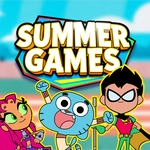
The visuals are exactly what you'd expect from the cartoon—bright blocks of color, goofy expressions on Robin, Starfire, Cyborg, Beast Boy, and Raven, and a soundtrack that's basically a sugar rush. You'll swap between characters on the fly, each with their own little animation quirks. It doesn't try to be a full platformer; think of it as a hypercasual reaction test dressed up in Cartoon Network clothes. The spacebar timing matters more than anything, so if you have a heavy thumb, you'll eat dirt often.
For a free browser game, it's surprisingly polished in the places that count: hitboxes feel fair (mostly), the difficulty ramps up without any warning, and the leaderboard chase is real if you're competitive. I wouldn't bring this out at a party—you'll be glued to the screen ignoring everyone—but for a five-minute break between classes, it's dangerously effective. Just don't blame me when you're still chasing that perfect run at 2 a.m.
👥How to Play Teen Titans Go
Use the spacebar and arrows.
✨Game Tips
Tap the spacebar a split second earlier than feels natural—the jump has a tiny wind-up.
Keep your eyes on the obstacle ahead, not on your character.
Use down arrow to duck under low-hanging hazards instead of jumping over them.
Grab collectibles only when they don't break your rhythm; the score boost isn't worth a death.
Restart immediately after a run ends; the warm-up muscle memory fades fast.
Watch the background speed changes—they telegraph when the difficulty spikes.
🔧FAQ
Q: Is Teen Titans Go free to play?
A: Yes, it's completely free in your browser with no hidden paywalls or subscriptions.
Q: Do I need to download Teen Titans Go?
A: No download needed. It runs instantly on any modern browser with HTML5.
Q: Can I play Teen Titans Go on mobile?
A: The game works on mobile browsers, but for best control use a keyboard with spacebar and arrows.
Q: What are the controls for Teen Titans Go?
A: Use spacebar to jump and arrow keys to move or duck. Simple two-button twitch gameplay.
Q: Is Teen Titans Go safe for kids?
A: Yes, it's based on the cartoon and has no violence beyond cartoony slapstick.
Q: Can I save my high score in Teen Titans Go?
A: The game tracks your highest score locally in your browser, so you can beat your own record next time.