
Teen Titans Go Jigsaw Puzzle
Play Count0
Published2023-02-22
Supported DevicesPC + Mobile
CategoryFun & Crazy
Rating★★★★★5.0Rate this game
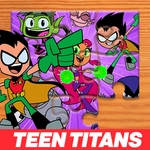
📝Teen Titans Go Jigsaw Puzzle Overview
Piece together your favorite Teen Titans Go scenes and see how fast you can snap all those colorful chunks back into place.
💬What is Teen Titans Go Jigsaw Puzzle?
I'll admit, I didn't expect much from a licensed jigsaw game, but the moment I dumped a pile of Teen Titans Go pieces onto the board I was hooked. These aren't just generic cartoon stills — each puzzle actually captures the show's chaotic humor, from Beast Boy mid-transformation to Raven's unimpressed glare. The controls are dead simple: click a piece, drag it near the right spot, and the game snaps it into place with that little satisfying clunk. That's all there is to it, but somehow it's hard to stop.
There's no timer unless you want one, and honestly the best way to play is to sort edge pieces first, just like a real table puzzle. You can pick how many pieces to tackle — smaller counts for a quick brain break, or the full mess if you're feeling brave. I kept losing ten-minute chunks to 'just one more piece.' The cartoon colors are bright and loud, which actually helps when you're hunting for a specific purple cape or black-and-orange mask.
If you've got a mouse with a decent scroll wheel or just a steady finger on a touchscreen, you'll settle in fast. The snap radius is generous enough that you won't fight the cursor, but tight enough that you still feel like you solved something. It's a solid little time-waster that respects your brain more than most clicker-adjacent games.
👥How to Play Teen Titans Go Jigsaw Puzzle
Drag and drop!
✨Game Tips
Start with the border — corners and flat edges lock down the frame fast.
Group pieces by color before you place; purple, green, and orange blocks emerge quickly.
Drag near the target, not onto it; the snap radius is forgiving.
Pick fewer pieces if you're on mobile, the drag targets get tiny.
Look for distinctive faces first; Robin's mask and Starfire's hair stand out.
If a piece won't snap, wiggle it slightly — the game reads position, not pressure.
🔧FAQ
Q: Is Teen Titans Go Jigsaw Puzzle free?
A: Yes, it's completely free to play in your browser with no hidden fees.
Q: Can I play Teen Titans Go Jigsaw Puzzle on mobile?
A: Yes, the drag-and-drop controls work on touchscreens, though larger piece counts are easier with a mouse.
Q: Do I need to download anything?
A: No downloads — it runs instantly in your browser as an HTML5 game.
Q: How do I rotate or flip puzzle pieces?
A: There's no rotation; every piece is already oriented correctly, so you just drag it to the right spot.
Q: Does Teen Titans Go Jigsaw Puzzle need an internet connection?
A: Yes, you need an active connection to load the game in your browser.
Q: Can I save my progress?
A: Progress isn't saved permanently, so finish a puzzle in one sitting or leave the tab open.