
Teen Titans Jigsaw
Play Count0
Published2019-08-13
Supported DevicesPC + Mobile
CategoryPuzzle & Thinking
Rating★★★★★5.0Rate this game
📝Teen Titans Jigsaw Overview
Drag scattered pieces into place, rotate tricky edges, and rebuild your favorite Teen Titans scenes piece by piece.
💬What is Teen Titans Jigsaw?
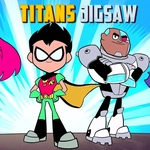
I wasn't expecting much from a browser jigsaw, but Teen Titans Jigsaw actually nails the simple satisfaction of snapping the last piece into place. You pick a scene starring Robin, Raven, Starfire, Cyborg, or Beast Boy, watch it shatter, then drag each fragment back onto the board. The controls are as straightforward as it gets: click or tap a piece, move it where you think it belongs, and drop. If it's close enough, the game locks it in with a soft click. If not, it slides back to the pile. No rotation nonsense, no hidden gimmicks.
Each puzzle offers a few different cuts depending on how brave you're feeling — usually something quick like 25 pieces for a lunch break, up to 100 or more when you want to actually concentrate. The images are bright cartoon shots straight from the show, so you'll recognize Tower views, action poses, and group lineups. One thing that tripped me up early: Raven's cloak and Cyborg's armor share a lot of dark blue and gray, so sorting edge pieces first becomes a lifesaver. I also started grouping by background color before trying to match shapes. It feels like the game rewards a little patience, but not too much.
Honestly, if you've got a kid who loves the show or you just want a chill puzzle that doesn't ask for a login, this is a solid pick. It won't replace a full jigsaw table, but for killing ten minutes between classes it does the job. The only downside? After a few completions, the image selection can feel thin. Still, the pieces move responsively and the border guides don't hold your hand too much, which I liked.
👥How to Play Teen Titans Jigsaw
Use your mouse or tap on the screen to play
✨Game Tips
Always start with corner and edge pieces; the frame gives you a stable reference.
Sort pieces by dominant color before diving in — Robin's cape mostly red, Beast Boy mostly green.
Use the reference image button if it's available to check exact positions.
If a piece won't lock in, zoom out and try the opposite side of the board; you might be flipped.
In larger piece counts, tackle small distinct sections like faces or logos first.
🔧FAQ
Q: Is Teen Titans Jigsaw free?
A: Yes, it runs right in your browser at no cost.
Q: Can I play Teen Titans Jigsaw on mobile?
A: Yes, tap the screen to drag pieces on phones and tablets.
Q: Do I need to download anything to play?
A: No download or plugin needed, just open the game page.
Q: What if I can't find a piece?
A: Check the pile carefully; some pieces look similar but have tiny notches.
Q: Can I pause and resume later?
A: The game keeps your puzzle progress in the same browser session.
Q: Does it require a Teen Titans fan account?
A: No, you can play anonymously without signing up.