
Tetra Challenge
Play Count0
Published2024-07-25
Supported DevicesPC + Mobile
CategoryPuzzle & Thinking
Rating★★★★★5.0Rate this game
📝Tetra Challenge Overview
Fit every tetromino into the grid without leaving a single gap—your spatial thinking gets a real workout in this quick brain teaser.
💬What is Tetra Challenge?
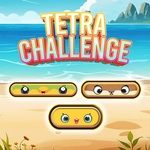
Tetra Challenge is the kind of game that sneaks up on you. At first glance it's just a bunch of tetromino pieces and an empty grid with a few outlines. Drag the piece into the silhouette, rotate until it fits, done. But then the outlines get trickier, and you start second-guessing whether that Z-shaped piece actually belongs there or if you're just forcing it. The game doesn't rush you—there's no timer ticking down or lives to lose—so you can sit there and spin a piece twenty times until the shape finally makes sense.
What kept me hooked is the loop: each level takes maybe 30 seconds if you're sharp, but the 'aha' when the last block clicks into place is disproportionately satisfying. I've definitely played a few rounds on my phone while waiting in line, convinced I'd stop after one more, and then suddenly ten minutes are gone. The puzzles start off with simple rectangles and L-shapes but eventually throw in multi-piece outlines that require you to plan the order, not just the placement. You can pull pieces back out if you realize you've blocked yourself, which saves a lot of frustration.
Control-wise, it's dead simple. On a computer, the mouse drag feels accurate enough for small adjustments; on a touchscreen, your finger works fine. The visuals won't blow you away, but the blocks are bright and distinct, and the grid lines are clear, so you never misread a space. If you like spatial puzzles that are chill but still make your brain work, this one's worth a few minutes of your day.
👥How to Play Tetra Challenge
How to play:
Android:Touch and place the blocks to the right position to match correctly.
PC: Use Mouse and place the blocks to the right position to match correctly
✨Game Tips
Start with corners and edges—they lock in the overall shape and narrow down where the rest go.
Don't force a piece that looks almost right. Pull it out and try a different rotation before committing.
On PC, you can right-click to rotate while dragging, which speeds up the trial-and-error.
If you're stuck, clear the board and start fresh. Sometimes a new order changes everything.
The outline is your friend: match the exact shape first, then worry about filling the center.
Leave the complicated Z and T pieces for later; simple blocks often create a stable base.
🔧FAQ
Q: Is Tetra Challenge free to play?
A: Yes, it's completely free. No hidden fees or premium levels—everything in the game is unlocked from the start.
Q: Can I play Tetra Challenge on my phone?
A: Absolutely. The touch controls are smooth, and it works in any mobile browser without needing an app.
Q: Do I need to download or install anything?
A: No downloads needed. The game runs right in your browser using HTML5, so just open the page and play.
Q: How do I rotate a block in Tetra Challenge?
A: On PC, use the right mouse button or press R to rotate while dragging. On mobile, tap the piece after selecting it to spin.
Q: Is there a time limit or score pressure?
A: No timer and no penalties. You can take as long as you like on each puzzle, and there are no lives to lose.
Q: Can I move a piece after placing it?
A: Yes, just click or tap the piece again to pick it back up. You can adjust until every block fits perfectly.