
Tetricon Minimalism
Play Count0
Published2026-03-25
Supported DevicesPC + Mobile
CategoryFun & Crazy
Rating★★★★★5.0Rate this game
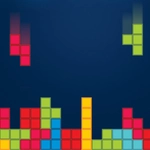
📝Tetricon Minimalism Overview
Stack falling blocks into clean lines in a stripped-down Tetris riff that punishes hesitation and rewards sharp rotation.
💬What is Tetricon Minimalism?
Tetricon Minimalism boils Tetris down to its skeleton. No cutesy backgrounds, no power-ups, no music that loops in your skull for hours. Just a monochrome grid, four-block pieces, and the quiet tension of a stack creeping toward the top. The controls are exactly what you'd expect: arrows or WASD to move and rotate, spacebar to slam a piece down. But strip away the decorations and the game's real challenge emerges — there's no ghost piece telling you where a block will land, no next-piece preview. You have to read the grid, commit to a move, and live with it.
I kept losing because I'd rotate a piece one too many times, then realize the gap I needed was on the left, not the right. That half-second of correction is death here. The speed ramps up subtly but mercilessly. After a few rounds you start seeing the grid differently — not as a space to fill, but as a series of small risks. Do you burn a line now or save that I-piece for a Tetris? The minimal aesthetic actually helps; without color-coded dopamine bursts, you focus purely on shape and placement. It's meditative in a weird, panic-inducing way.
For anyone who's played a hundred Tetris clones on school Chromebooks, this one feels cleaner and meaner. There's no menu bloat, no ads interrupting a good run, and the browser version loads instantly. It's the kind of game you open for a quick brain reset between classes and then realize forty minutes vanished. Just don't expect to pause mid-fall and come back fresh — momentum matters more than in regular Tetris because you can't see what's coming. Learn to rotate both directions, not just one.
👥How to Play Tetricon Minimalism
Left Arrow / A: Move piece left.
Right Arrow / D: Move piece right.
Down Arrow / S: Soft drop (accelerate fall).
Up Arrow / W: Rotate piece.
Spacebar: Hard drop (instant drop).
✨Game Tips
Tap spacebar to hard drop, but don't overuse it — a misplaced slam can bury you.
Rotate pieces both ways with up arrow; sometimes counter-clockwise fits faster.
Keep at least one column open for the I-piece; four-line Tetris clears are your best friend.
Don't wait for the perfect piece — clear lines early to keep the stack below the halfway mark.
Watch the speed curve: after level 5, soft dropping is often safer than waiting for a free fall.
🔧FAQ
Q: Is Tetricon Minimalism free to play?
A: Yes, it's completely free on unblocked games sites — no hidden charges or premium tiers.
Q: Can I play Tetricon Minimalism on my phone?
A: It works in a mobile browser, but keyboard controls are recommended for precise rotation and hard drops.
Q: Do I need to download anything to play?
A: No downloads needed. It runs directly in your browser as an HTML5 game.
Q: What are the controls for Tetricon Minimalism?
A: Use arrow keys or WASD to move and rotate, spacebar for an instant hard drop.
Q: Is there a pause button or a way to restart quickly?
A: The game doesn't have a pause feature — you're locked in until the stack tops out.
Q: Does Tetricon Minimalism have different levels or speeds?
A: Yes, the fall speed increases as you clear more lines, making each round progressively harder.