
Tetris 24
Play Count0
Published2024-02-13
Supported DevicesPC + Mobile
CategoryArcade & Classic
Rating★★★★★5.0Rate this game
📝Tetris 24 Overview
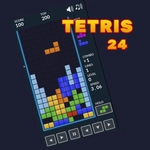
That moment when the I-piece finally drops into the gap you've been nursing for thirty seconds—Tetris 24 delivers that rush in a clean, fast browser version.
💬What is Tetris 24?
I'll be honest, I've played a hundred Tetris clones, and most of them mess up the fundamental feel. Tetris 24 doesn't. The blocks drop with that familiar weight, the rotation feels snappy (especially with keyboard controls—arrow keys for movement, up to rotate, down to soft drop, space to slam it), and the line-clear animation gives just enough feedback without slowing you down. It's the kind of game you open for a five-minute break and suddenly forty minutes have vanished.
There's no complicated gimmick here—just clean, classic stacking. The piece preview queue lets you plan a few moves ahead, which is where the real strategy kicks in. I kept leaving a narrow gap on the right side waiting for the I-piece while stacking the rest of the board like a Tetris pro, then panicking when an S or Z piece showed up instead. That's the magic of Tetris: it punishes greed and rewards patience. The speed ramps up steadily, so by level 10 your decisions have to be instant. If you're using a mouse, the click-to-rotate and hover controls work surprisingly well, but keyboard is definitely the way to go for any serious run.
The scoring system follows the standard formula—single, double, triple, and Tetris bonuses—but the multiplier for back-to-back Tetrises is what separates casual drops from high-score hunting. I once strung together three in a row, and my heart was thumping like a speedrun boss fight. That's the pull of Tetris 24: it doesn't need to reinvent anything, it just needs to run perfectly in your browser, and it does.
👥How to Play Tetris 24
Mouse or keyboard
✨Game Tips
Learn the piece preview; planning two or three drops ahead prevents most messy board states.
Keep a narrow well open on one side for the I-piece, but don't be afraid to burn a Tetris if things get tight.
Use the soft drop constantly—it builds score and gets the piece where you want it faster than waiting.
Keyboard beats mouse here: arrow keys move, up rotates, space hard drops.
Don't chase the perfect line clear; clearing singles and doubles early keeps your stack low and gives breathing room.
Watch the next queue when you're at max speed—hesitating on a bad piece ends runs.
🔧FAQ
Q: Is Tetris 24 free to play?
A: Yes, it's completely free in your browser with no paywalls or hidden fees.
Q: Do I need to download anything to play Tetris 24?
A: No downloads. It runs instantly on any modern browser as an HTML5 game.
Q: Can I play Tetris 24 on my phone?
A: Yes, touch controls work for mobile devices, though keyboard is recommended for high scores.
Q: Can I play Tetris 24 at school?
A: It's unblocked and doesn't require admin permissions, so it works on most school networks.
Q: What are the controls for Tetris 24?
A: Use arrow keys to move and rotate, space for hard drop, or click and hover with a mouse.
Q: Does Tetris 24 save my high scores?
A: High scores may save locally in your browser, but there's no account system.