
Tetris Master
Play Count0
Published2019-10-12
Supported DevicesPC + Mobile
CategoryArcade & Classic
Rating★★★★★5.0Rate this game
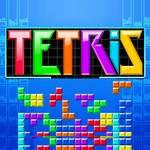
📝Tetris Master Overview
Line up falling blocks before the stack hits the top — Tetris Master tests your speed and spatial sense in every single drop.
💬What is Tetris Master?
Tetris Master doesn't try to reinvent the wheel, and honestly? It doesn't need to. You get the seven classic tetrominoes dropping one after another, a well that fills up faster than you'd like, and that specific thrill when the long bar finally slides into the gap you've been saving for it. The controls are simple—arrow keys to rotate and move, spacebar to start—but the pressure ramps up with every level. I caught myself holding my breath during a high-speed stretch where the pieces felt like they were being fed through a shredder.
One thing I appreciate: the pieces don't spawn in the same predictable pattern. Some rounds the game seems to taunt you with three S-pieces in a row, then gives you an I-piece just before you suffocate. The rotation system feels responsive, so you won't blame the game when you misdrop. That's not always the case with browser tetris clones. And if you're a perfectionist, the scoring rewards back-to-back Tetris clears, so keeping your stack low and waiting for the long piece becomes a legit strategy.
Visually it's clean and no-frills, which is exactly right—no distracting backgrounds when you're trying to spot a landing spot for a Z-piece. The sound design, if you leave it on, gives you just enough feedback without being annoying. This is the kind of game you open for a five-minute break and then realize forty minutes vanished.
👥How to Play Tetris Master
Use the keyboard arrow keys to rotate each piece or to make them descend quicker. Start game with spacebar
✨Game Tips
Keep one side of the well slightly lower than the other to create a permanent slot for the I-piece.
Rotate pieces both clockwise and counterclockwise—sometimes a single counter-spin fits where a double clockwise won't.
Avoid clearing single lines unless you're desperate for space; saving up for Tetris clears multiplies your score.
Use the down arrow for soft drops when your stack is stable, but don't rely on it when things get panicky.
Watch the next piece preview constantly; if you ignore it, you'll end up building a tower you can't fix.
If your stack gets dangerously high, don't panic—clearing even a double can break your rhythm and reset the pressure.
🔧FAQ
Q: Is Tetris Master free to play?
A: Yes, it's completely free in your browser with no hidden paywalls or forced ads.
Q: Do I need to download anything to play Tetris Master?
A: No downloads needed—it runs as an HTML5 game right on the website.
Q: Can I play Tetris Master on my phone or tablet?
A: It works on mobile browsers, though keyboard controls give you much better precision on desktop.
Q: What are the controls for Tetris Master?
A: Use arrow keys to move and rotate pieces, and press spacebar to start a new game.
Q: Does Tetris Master work on a school or work network?
A: Yes, it's an unblocked game designed to run on restricted networks without issues.
Q: How do I pause or restart Tetris Master?
A: Press spacebar to start a new game; pausing usually works by clicking away from the game window if needed.