
Tetris Puzzle Blocks
Play Count0
Published2022-03-03
Supported DevicesPC + Mobile
CategoryPuzzle & Thinking
Rating★★★★★5.0Rate this game
📝Tetris Puzzle Blocks Overview
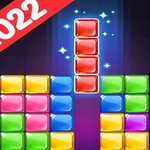
Clear lines, chain combos, and watch the board shrink—Tetris Puzzle Blocks turns classic block-stacking into a panic-inducing race against the top.
💬What is Tetris Puzzle Blocks?
I’ve lost entire lunch breaks to this one. Tetris Puzzle Blocks doesn’t pretend to reinvent the falling-block formula—it just nails the pacing. Pieces drop with a satisfying weight, the board fills up faster than you expect, and before you know it you’re muttering at the screen because that Z-piece showed up again instead of the long bar. The goal is simple: stack the shapes, complete horizontal rows, and clear them before the pile reaches the top. But the real game is in the small decisions: do you burn that gap now, or save it for a risky tetris? Each cleared line gives you a little breathing room, and a four-line clear still feels like a mini victory lap.
What kept me coming back was how tactile the controls feel. On PC, WASD handles movement and rotation with just enough snap to make tight drops possible; on mobile, the touch buttons sit where your thumbs expect them. There’s a hard drop when you’re confident and a slower soft drop for nudging pieces into ugly corners. I found myself holding my breath during the last few rows, especially when the next-piece preview shows exactly what you need—and then the game throws a square instead. That tension is the whole point. You’re not fighting enemies, just your own panic.
If you’ve played block puzzle games before, you’ll slip right in. If you haven’t, this is a clean place to start. No lives, no timers, no forced ads mid-run—just you, a board, and increasingly unreasonable piece order. I’d recommend it for quick sessions, though 'one more game' tends to multiply. The difficulty curve is fair but not gentle: by the time you’re clearing ten lines, the stack moves like it wants revenge.
👥How to Play Tetris Puzzle Blocks
For Pc, use "WASD," For mobile, use the button inside the game!
✨Game Tips
Build a four-deep well and reserve it for the long bar—that’s your ticket to a Tetris clear.
Rotate pieces early, not when they’re already touching the stack; late spins often create cliffs.
Watch the next-piece window. Plan two moves ahead instead of reacting to every drop.
Use hard drop only when you’re sure; a soft drop gives you time to slide pieces under overhangs.
Don’t panic-clear single lines at high stack. Save flat tops for future pieces.
🔧FAQ
Q: Is Tetris Puzzle Blocks free?
A: Yes, the game is completely free to play in your browser.
Q: Can I play Tetris Puzzle Blocks on mobile?
A: Yes, it runs on mobile browsers with on-screen touch buttons.
Q: Do I need to download anything?
A: No download needed—just open the page and start stacking.
Q: What are the PC controls?
A: Use WASD keys to move and rotate the falling pieces.
Q: Does the game save my high score?
A: It tracks your score during each session, though browser storage may vary.
Q: Is Tetris Puzzle Blocks blocked at school?
A: This unblocked version is designed to work on most school networks.