
The Amazing World of Gumball: How to Draw Gumball
Play Count0
Published2021-12-10
Supported DevicesPC + Mobile
CategoryArcade & Classic
Rating★★★★★5.0Rate this game
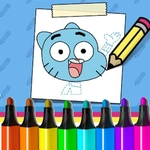
📝The Amazing World of Gumball: How to Draw Gumball Overview
Grab your virtual pencil and learn to sketch Gumball Watterson step by step — no art degree required.
💬What is The Amazing World of Gumball: How to Draw Gumball?
Figuring out how to draw Gumball Watterson without tracing used to feel impossible. That’s what makes this little arcade-style tutorial surprisingly satisfying. You get a blank canvas, a set of guide strokes, and a mouse that suddenly feels like a pencil with no eraser discipline. The steps break his head down into simple ovals and curves — the big eyes, the tiny nose, that ridiculous oversized head. I spent way too long trying to get the ears symmetrical, and the undo button turned into my best friend.
The controls are simple: mouse or keyboard, follow the introduction, and let the guide lines do the heavy lifting. Each step adds a new feature until the whole blue cat pops off the page. Don’t expect a free-for-all paint program. It wants you to follow along, which is good because Gumball’s proportions are weird enough on their own. You’ll notice the head isn’t a perfect circle; it’s slightly squashed, and if you rush the jawline you end up with something closer to Darwin. I mean that as a compliment.
For a licensed web game, it’s got more patience than most. You can replay any step and tweak until your Gumball looks ready to annoy Nicole. It doesn’t punish mistakes with a game over screen — you just keep adjusting. By the end you’ll actually feel like you learned something, not just clicked through a tutorial.
👥How to Play The Amazing World of Gumball: How to Draw Gumball
Use Mouse or keyboard To Play and Follow the introduction
✨Game Tips
• Smooth strokes beat fast scribbles; jerky lines make Gumball look like he lost a fight.
• Nail the head shape first — it’s an oval, not a circle, and it sets the whole drawing.
• The eyes are the hardest part; get their spacing right before adding pupils.
• Tap undo instead of restarting when a line wanders off.
• Use keyboard nudges for tiny adjustments if the mouse feels too twitchy.
🔧FAQ
Q: Is The Amazing World of Gumball: How to Draw Gumball free to play?
A: Yes, it’s completely free in your browser with no hidden paywalls.
Q: Do I need to download anything to start drawing?
A: No downloads required. The game runs directly in your web browser.
Q: Can I play this drawing game on my phone or tablet?
A: It works on most mobile browsers, but a mouse or keyboard gives you better control.
Q: What age is this game suitable for?
A: It’s kid-friendly and great for ages 6 and up who love Gumball and drawing.
Q: How do I undo a mistake while drawing?
A: Use the on-screen undo button or follow the introduction prompts to go back a step.
Q: Will this game teach me to draw Gumball for real?
A: Yes, it breaks the character into simple steps you can copy on paper afterward.