
The Cargo 2
Play Count0
Published2025-09-26
Supported DevicesPC + Mobile
CategoryManagement & Simulation
Rating★★★★★5.0Rate this game
📝The Cargo 2 Overview
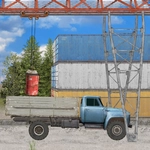
Hook a container, swing it onto the truck bed, and haul it across the yard without dropping a thing.
💬What is The Cargo 2?
The first time I tried to grab a container, I swung the crane too hard and sent it careening into a stack of pallets. The Cargo 2 doesn't punish you too harshly, but it does make you feel every awkward movement. You're driving the truck and operating the crane arm at the same time—arrow keys or WASD control both, with spacebar to attach or release the load. The physics are unforgiving in the best way: accelerate too quickly and the container sways like a pendulum, threatening to tip the whole rig.
What surprised me was how much the small decisions matter. I learned to back the truck up in short taps instead of holding the key down, because momentum builds fast. The crane swivels with a bit of lag, so you have to anticipate where the hook will land. There's a satisfying click when the cargo locks on, and then the real challenge begins: navigating narrow paths with a swinging load, making sure you don't clip a barrier or jackknife the trailer. It's not just about getting from A to B; it's about doing it cleanly. Mobile players get on-screen buttons, which work fine once you accept that precision is harder on a touchscreen.
If you've played other cargo sims, you'll find familiar territory here, but the combination of driving and crane work feels tighter. The levels ramp up gradually—early ones are almost meditative, later ones had me sweating. I'd recommend it to anyone who enjoys physics-based challenges where patience beats speed. You'll restart a few times, but usually it's your fault, not the game's. That's the mark of a solid simulation.
👥How to Play The Cargo 2
Desktop: Arrow keys or W,A,S,D to control the crane and drive the truck. Spacebar to attach and detach the cargo.
Mobile: Use on-screen buttons to control the crane and drive the truck.
✨Game Tips
Swing the crane arm slowly to avoid sudden momentum that tips the truck.
Use short taps on the drive keys instead of holding them down for delicate positioning.
Detach the cargo only when the truck is completely still to prevent it bouncing off.
Aim for a low, steady angle when lifting to keep the load from tilting.
If you mess up, don't restart immediately—sometimes the physics settles out.
Reverse into tight spots to give the crane more room to maneuver.
🔧FAQ
Q: Is The Cargo 2 free to play?
A: Yes, it's completely free and runs in your browser with no hidden charges.
Q: Can I play The Cargo 2 on mobile?
A: Yes, the game includes on-screen buttons for touch controls.
Q: Do I need to download anything?
A: No, it's an HTML5 game that runs directly in your web browser.
Q: What are the controls on desktop?
A: Use arrow keys or WASD to drive and swing the crane, and spacebar to attach/detach cargo.
Q: Is The Cargo 2 unblocked at school?
A: Usually yes if the site is accessible, since it's just an HTML5 game.
Q: How hard is The Cargo 2?
A: It starts easy but later levels require careful speed and crane control.