
The Musical Instruments
Play Count0
Published2024-04-22
Supported DevicesPC + Mobile
CategoryFun & Crazy
Rating★★★★★5.0Rate this game
📝The Musical Instruments Overview
Think you can match that twangy banjo to its picture before the timer runs out? This quick-click music quiz tests ears and reflexes.
💬What is The Musical Instruments?
Here's the deal: a sound plays, and four instruments are on screen. You click the one that matches. Sounds simple, right? It is—until a flute and piccolo start sounding weirdly similar and you're second-guessing every click. The Musical Instruments is basically a listening game disguised as a clicker, and honestly, it's more addictive than it has any right to be.
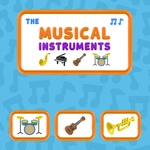
The interface is clean, with bright cartoon instrument icons arranged neatly on screen. The sounds are real samples, not synthetic MIDI bleeps, so a trombone actually has that brassy slide and a violin has the scratchy bow texture. That makes the game work surprisingly well for both little kids learning instrument names and adults who just want to test their ears. I kept confusing the saxophone and clarinet at first—both are reed instruments—but after a few rounds I learned to listen for the sax's wider vibrato and the clarinet's smoother, rounder tone.
What I appreciate is that it doesn't punish mistakes too harshly. You'll get a soft buzz or shake on a wrong click, but you can immediately try another option. The pace ramps up gently, so early wins feel earned and later rounds get your pulse going. There's no fluff, no story, no unlockable metagame; it's just you, your ears, and a grid of instruments. If you're looking for a zero-pressure brain warm-up or a fun way to quiz a kid on orchestral sounds, this one's a solid five minutes of play—or an hour if you're as stubborn as I am about beating your own streak.
👥How to Play The Musical Instruments
Click on the musical instrument that matches your sound.
✨Game Tips
• Turn up your volume or use headphones; the nuances between similar instruments are much clearer with good audio.
• Don't spam-click randomly—each wrong guess shakes the screen and can break your focus.
• Use visual cues: a piano looks nothing like a guitar, even if the sound is hard to place.
• Listen for the attack, not just the pitch. A drum hit starts sharp and decays, while a xylophone note rings.
• If you're stuck between two options, close your eyes for a second and play the sound again in your head.
• Try to build a streak; the game often rewards consecutive correct clicks with a faster pace and higher score.
🔧FAQ
Q: Is The Musical Instruments free?
A: Yes, it's completely free to play in your browser with no hidden charges.
Q: Can I play The Musical Instruments on mobile?
A: Yes, it works on phones and tablets because it uses simple tap controls and HTML5.
Q: Do I need to download anything?
A: No downloads or installs required, just open the game page and start playing.
Q: How do I know which instrument to click?
A: Listen to the sound that plays and click the picture of the instrument that matches it.
Q: What happens if I click the wrong instrument?
A: You'll get a visual or sound cue for the wrong answer, then you can try another option.
Q: Is this game good for teaching kids instrument names?
A: Yes, the clear audio and colorful images make it a nice educational tool for younger players.