
The Shapefinder
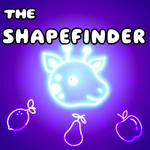
📝The Shapefinder Overview
Scan the board, spot the odd shape, and start clicking — every wrong tap costs you points and every right one stacks your score fast.
💬What is The Shapefinder?
I'll be honest — I opened The Shapefinder expecting a boring color-matching exercise. Then I clicked my first wrong shape and watched my score reset to zero. That got my attention. The game drops you onto a board full of shapes: circles, squares, triangles, stars, some with stripes, some with dots, all crammed together. Up top, a single target shape glows. Your job? Find every copy of that shape on the board and click them before the timer hits zero. Sounds simple. It isn't.
The difficulty ramps up quietly. Early boards have maybe three copies of a fat red circle. By level five you're scanning for a small blue semi-circle hidden behind a stack of yellow triangles, and your eyes start lying to you. One round I had fourteen seconds left, spotted what I thought was the last shape, clicked it — wrong. It was a similar shape just rotated. The penalty? Not just a time deduction, but your combo breaks and your score takes a real hit. That's the moment I understood: The Shapefinder isn't about clicking fast, it's about clicking right.
I came back for the 'one more round' itch. It's perfect for quick breaks — a round lasts under a minute, but the incremental difficulty and the satisfaction of clearing a board with zero mistakes is addictive. The clean visuals keep things readable (no ugly clutter), and the sound effects give just enough feedback without being annoying. If you like games that test your focus rather than your reflexes, this one's a sleeper hit. Just don't blame me when you start seeing shapes in your sleep.
👥How to Play The Shapefinder
Left mouse button / Tap
✨Game Tips
Slow down on your first pass. A single wrong click wipes your combo, so it's better to scan systematically than to panic-click.
Check the outer edges of the board first — the target shapes tend to cluster near the boundaries where your eyes skip over.
When the target shape changes, pause for a split second and say its name out loud. Sounds silly, but verbalizing keeps your brain from confusing similar shapes.
Don't ignore rotated shapes. A square turned 45 degrees is still a square, and the game absolutely expects you to know that.
Use the first level or two as a warm-up to build your combo multiplier, then ride that streak into harder boards.
If you're stuck on a board with lots of visual noise, squint or step back from the screen. The target shape will pop out once its color or pattern stands alone.
🔧FAQ
Q: Is The Shapefinder free to play?
A: Yes, it's completely free on our site with no hidden charges or premium features.
Q: Can I play The Shapefinder on my phone?
A: Absolutely. The game works in any mobile browser with touch controls, no app needed.
Q: Do I need to download anything to play?
A: No downloads required. It runs directly in your browser as an HTML5 game.
Q: What are the controls for The Shapefinder?
A: Just click or tap on the shapes. Left mouse button on desktop, touch on mobile.
Q: Is there a time limit in each round?
A: Yes, each level has a countdown timer. You need to find all target shapes before it ends.
Q: Can I pause the game if I need to step away?
A: The game doesn't have a dedicated pause button, but you can simply stop clicking — the timer only pauses if the window loses focus.