
The Word Search
Play Count0
Published2022-02-23
Supported DevicesPC + Mobile
CategoryPuzzle & Thinking
Rating★★★★★5.0Rate this game
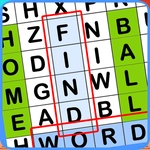
📝The Word Search Overview
Scan a jumbled letter grid and hunt down each hidden English word before the clock runs dry — pure, quiet satisfaction for your brain.
💬What is The Word Search?
There's something weirdly calming about staring at a wall of letters until a word just pops out at you. The Word Search keeps it simple: a grid full of jumbled English letters, a list of words to find, and your own eyes doing the heavy lifting. You click or drag across the letters to highlight a found word, and the game ticks it off. No explosions, no stress — well, unless you're racing a timer, which some versions throw in just to keep your pulse up. I found myself muttering 'where is it?' more times than I'd like to admit, especially with shorter words hiding in plain sight.
The real hook, for me, is how suspiciously addictive it gets. You think you'll find one or two, then suddenly twenty minutes are gone. The trick is that your brain starts recognizing letter patterns without conscious effort. I kept coming back just to beat my own time, and there's a tiny dopamine rush when that last word slides into place. It's not flashy, but it's exactly the kind of game you can play on a second monitor while pretending to pay attention in a meeting. No one will know.
If you've got a competitive streak, try finding every word without using a hint. If you're just here to relax, turn off the timer if that option exists and let your eyes wander. Either way, it's a solid palate cleanser between rounds of something louder. Just be warned: once you start noticing words in random letter clouds outside the game, you might need a break.
👥How to Play The Word Search
Search for words in English.
✨Game Tips
Look for double letters first — words like 'letter' or 'football' jump out way faster when you spot 'tt' or 'oo'.
Scan for rare letters like Q, Z, or X; they almost always anchor a word and narrow down the grid area to check.
Drag slowly and deliberately — rushing causes you to skip a letter and the game won't register the full word.
If you're stuck, switch to looking at the word list instead of the grid; sometimes reading the word silently makes its shape appear in the letters.
Work backward from common suffixes like -ing, -ed, or -tion; they show up so often that spotting one gives you a head start.
Take a five-second eye break by looking at something far away, then return — your peripheral vision often catches what direct staring misses.
🔧FAQ
Q: Is The Word Search free to play?
A: Yes, it's completely free. No hidden charges or paywalls.
Q: Can I play The Word Search on mobile?
A: Yes, it works on phone browsers. Tap and drag works fine, though a bigger screen gives you better visibility.
Q: Do I need to download anything?
A: No download needed. It runs right in your browser as an HTML5 game.
Q: Does The Word Search have a timer?
A: Depending on the version, it may have a countdown timer, but many versions let you play without one.
Q: What are the controls?
A: Click or drag across letters to highlight a word. Release when you've selected the full word.
Q: Is The Word Search good for kids?
A: Yes, it's family-friendly and helps build spelling and word recognition skills without any violence or inappropriate content.