
TikTok Braided Hairstyles
Play Count0
Published2024-05-24
Supported DevicesPC + Mobile
CategoryGirls & Lifestyle
Rating★★★★★5.0Rate this game
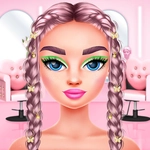
📝TikTok Braided Hairstyles Overview
Grab your virtual comb and step into the salon chair — TikTok Braided Hairstyles dares you to craft the trendiest twisted updos without a single tangle.
💬What is TikTok Braided Hairstyles?
I've spent way too many evenings testing virtual braid patterns, and this one nails the oddly satisfying loop of comb, section, twist. You pick a model, choose a braid style from a surprisingly deep menu — fishtail, Dutch, waterfall, you name it — and then use your mouse to drag each strand into place. The first time I nailed a fishtail without the hair clipping through the model's shoulder felt weirdly triumphant, like finally mastering a real-life plait after years of lumpy attempts.
What sets TikTok Braided Hairstyles apart from a thousand other dress-up games is how tactile it feels. You're not just clicking preset buttons; you actually pull, loop, and pin virtual hair. The mouse controls are smooth, and there's just enough resistance on each section to make a messy braid feel like your fault — in a good way. I kept undoing my work because the left side was slightly puffier than the right. No timer, no score pressure, just you and a head of hair that won't complain if you start over five times. The TikTok angle shows up in the background music and the occasional 'like' hearts that pop when you finish a style, which scratches that same itch as watching a 15-second hair tutorial on your phone.
Replay value comes from experimentation. Want bubblegum pink with lime green highlights? Go for it. Feeling a sleek silver crown braid? That's an option too. Once you land on a look you love, the game lets you add clips, flowers, or glitter strands — and then screenshot the final result like it's going straight to your feed. It's simple, but that's the charm. No convoluted story, no in-app purchase traps, just a cozy little salon sandbox that respects your time. I'd recommend it for a lazy afternoon when you want to create something pretty without cleaning up actual hair ties afterward.
👥How to Play TikTok Braided Hairstyles
Use your mouse to play this game.
✨Game Tips
Start with a simple three-strand braid to get a feel for how the mouse drags each section — rushing into a fishtail first will only tangle your patience.
Use the mirror button after every few strands to check symmetry. A lopsided braid looks worse in the final screenshot than you'd think.
Don't be afraid to undo and redo a single section rather than restarting the whole style. There's usually an undo arrow near the top corner.
Experiment with color combinations before you commit to a whole head. Neon pink and baby blue sounds fun until it turns into cotton candy chaos.
After finishing a braid, add at least one accessory — a small flower or clip can hide tiny imperfections and make the final look pop.
If a braid style feels too hard, skip it. The game has plenty of easier options that still look impressive, and there's no penalty for sticking to what you know.
🔧FAQ
Q: Is TikTok Braided Hairstyles free to play?
A: Yes, it's completely free. No hidden paywalls or premium styles locked behind real money.
Q: Can I play TikTok Braided Hairstyles on my phone?
A: Yes, the game runs in a mobile browser. Touch controls work fine, though a mouse gives you more precision for braiding.
Q: Do I need to download anything to play?
A: No downloads or installations needed. Just open the game in your browser and start styling immediately.
Q: What age group is this game suitable for?
A: It's perfect for kids and teens who enjoy hair styling, but adults will find it relaxing too. No inappropriate content.
Q: Does the game have a time limit for each hairstyle?
A: No, there's no timer. You can take as long as you want to finish a braid without any pressure.
Q: Can I save or share my finished hairstyle?
A: The game lets you screenshot your final look, but it doesn't have a built-in save or social sharing feature. Use your device's screenshot button instead.