
Tile Fruits
Play Count0
Published2025-03-07
Supported DevicesPC + Mobile
CategoryFun & Crazy
Rating★★★★★5.0Rate this game
📝Tile Fruits Overview
Tap a mango, spot two more, and watch the whole row vanish — that's the loop that'll keep you glued to Tile Fruits.
💬What is Tile Fruits?
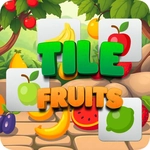
The board starts out friendly — a neat grid of lemons, cherries, kiwis, and watermelon slices just begging to be tapped. You pick one fruit, then hunt for two identical neighbors. Find them and the trio disappears with a satisfying little pop, clearing space for the rows above to shift down. It sounds simple, and it is, until the layouts stop being neat rectangles and start throwing weird gaps, diagonal runs, and fruit combos you didn't see coming.
I kept coming back because the difficulty curve actually respects your time. Early levels feel like warm-up — you'll clear a board in seconds and wonder what the fuss is about. Then around level ten, the game sneaks in a layout with only one viable match, and suddenly you're scanning every tile like a fruit detective. That's the moment Tile Fruits clicks. There's no timer unless you want the pressure, but the game quietly judges your move count, and you'll find yourself restarting just to shave off two extra taps.
A quick undo doesn't exist, so every tap counts. You learn to check the board edges first — that's where mismatches hide. The sound design deserves a mention too: each fruit has a slightly different squish, so even a failed match gives you a tiny dopamine hit. I fat-fingered the wrong kiwi more than once when the board got crowded, and that's honestly part of the charm.
👥How to Play Tile Fruits
Playing Tile Fruits is straightforward yet engaging. Simply tap on a fruit to select it, and then match three identical fruits to remove them from the board. As you clear levels, youll face increasing difficulty with new challenges and unique layouts. To
✨Game Tips
Scan the board edges first — isolated fruit at the corners often reveals the only possible match.
If you see two matching fruits next to each other, don't tap them until you've confirmed the third exists elsewhere.
Levels with odd-shaped layouts punish wild tapping; pause for two seconds and map the full board before touching anything.
Restarting a level doesn't cost anything, so if your first five moves feel forced, reset and try a different opening.
Take note of which fruit types have more copies on the board — those are usually your safest first matches.
Don't tunnel on one fruit; if you can't find the third, abandon it and switch to the most abundant fruit still visible.
🔧FAQ
Q: Is Tile Fruits free to play?
A: Yes, it's completely free in your browser with no paywalls.
Q: Can I play Tile Fruits on my phone?
A: Yes, it runs in any mobile browser and the tap controls feel great on a touchscreen.
Q: Do I need to download anything to start playing?
A: No download needed. The game loads instantly as an HTML5 title.
Q: Does Tile Fruits have a timer?
A: Some levels are move-based only, but later layouts may add light pressure. Check the level intro.
Q: Is there a way to undo a move in Tile Fruits?
A: No undo button, so scan the board carefully before each tap.
Q: Does my progress save automatically?
A: Progress usually saves in your browser, but clearing cookies might reset it.