
TNTcraft
Play Count0
Published2022-11-30
Supported DevicesPC + Mobile
CategoryAction & Fighting
Rating★★★★★5.0Rate this game
📝TNTcraft Overview
Grab a friend, plant some TNT, and turn the arena into a demolition derby where the last player standing wins.
💬What is TNTcraft?
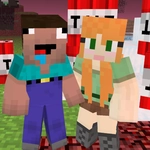
TNTcraft feels like the chaotic lovechild of Bomberman and a pixel art explosion simulator. You and a second player share one keyboard — one takes WASD to move and T to drop a bundle of dynamite, the other hogs the arrow keys and P for their own payload. The arena is tight, the corners are unforgiving, and every match becomes a frantic game of prediction: will they dodge left or walk right into your blast radius?
What got me is the rhythm of the fuses. The bomb countdown isn't just a timer; it's a negotiation. You plant a bomb, then you're already planning your escape route while trying to force them into the blast zone. Sometimes the smart play is to trap them behind a block, other times it's placing TNT right next to them and praying they panic. I kept coming back because there's no single strategy — you learn your opponent's tendencies after a few rounds, and then the real mind games start.
The pixel art is clean, the colors pop, and the explosions are satisfyingly chunky without being too flashy. It's a simple premise, but that's exactly why it works as a quick local versus game. Grab someone, argue over who gets WASD, and let the TNT settle it.
👥How to Play TNTcraft
Player 1: WASD - Movement, T - Place TNT
Player 2: Arrow Keys - Movement, P - Place TNT
✨Game Tips
Use the blocks as cover while your TNT ticks down, but never trap yourself in a dead end.
Learn the fuse timing: count the seconds in your head to know when to move in or back off.
Place bombs at choke points where your opponent has only one exit — then cut them off.
Don’t just run; control space by forcing them toward your active blast zones.
In later rounds, bait your opponent into dropping TNT early, then punish their cooldown.
🔧FAQ
Q: Is TNTcraft free?
A: Yes, it’s completely free to play in your browser.
Q: Do I need two players to play?
A: You can play solo but it’s designed for two players sharing one keyboard.
Q: Can I play TNTcraft on mobile?
A: Touch controls aren’t supported; you’ll need a keyboard.
Q: Do I need to download anything?
A: No downloads, just open the page and start playing.
Q: What are the controls for player 2?
A: Arrow keys to move, P to place TNT.
Q: Can I play against the computer?
A: This version is local multiplayer only, no AI opponent.