
Tower Crash 3D
Play Count0
Published2021-03-26
Supported DevicesPC
CategoryArcade & Classic
Rating★★★★★5.0Rate this game
📝Tower Crash 3D Overview
One wrong click and the whole stack comes tumbling down—grab your mouse, take a breath, and see if you can beat the wobble in Tower Crash 3D.
💬What is Tower Crash 3D?
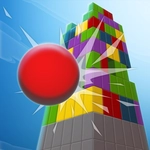
Okay so the premise is dead simple: there's a tower, it's 3D, and you have to crash it. But the fun is in how the physics punish you for rushing. You drag the mouse to aim a projectile or sometimes just slam a block into the side of the tower, and the keyboard gives you a little extra oomph—holding space for power or tapping keys to nudge the camera. I kept finding myself over-correcting, putting too much spin on a shot, and then watching the whole structure sway for a full two seconds before collapsing in a pile of blocks. That delay between impact and total destruction is weirdly satisfying.
What I appreciate is that it never feels like a tutorial walking you through every step. The first few towers are forgiving enough that you learn the mouse sensitivity and how the blocks split apart. Then they start stacking higher and wider, sometimes with overhangs that make you second-guess whether to hit the base or the top corner. A real moment that got me hooked: I aimed dead center at a narrow base block, used the keyboard to increase shot speed, and the entire tower toppled sideways like a felled tree. Not a single block landed on the platform. Pure luck? Probably. But it was the kind of quick, repeatable chaos that arcade games live on.
The camera can be a bit loose if you spin it too fast, so I learned to nudge it slowly with the arrow keys while lining up with the mouse. There's no story, no level-up screen with flashy banners—just tower after tower and a score ticker that makes you want to beat your last run. It's the kind of game you open for three minutes and accidentally play for twenty.
👥How to Play Tower Crash 3D
Use Mouse To Play and Keyboard
✨Game Tips
Aim for the bottom third of the tower if you want a full collapse—hitting the top just knocks off a few pieces.
Use the keyboard's power key sparingly; max force can send blocks flying off screen and reduce your score.
Watch how the tower sways after the first hit, then adjust your next shot while it's still moving.
Try to hit the corner of a block rather than the flat face—corner hits tend to start a chain reaction.
Mouse sensitivity is high, so small wrist movements are better than big arm sweeps.
If a tower has overhangs, aim at the support block directly under the overhang to bring the whole side down.
🔧FAQ
Q: Is Tower Crash 3D free to play?
A: Yes, it's completely free in your browser with no hidden paywalls.
Q: Can I play Tower Crash 3D on mobile devices?
A: It works on most mobile browsers, but mouse and keyboard controls feel smoother on desktop.
Q: Do I need to download anything to play Tower Crash 3D?
A: No downloads or installs needed—just open the game page and start playing.
Q: What are the keyboard controls in Tower Crash 3D?
A: Keyboard keys are used for power adjustment and camera rotation, while the mouse handles aiming and firing.
Q: Does Tower Crash 3D save my high score?
A: It may save your best score locally in your browser, but this can vary between devices.
Q: Is Tower Crash 3D suitable for younger players?
A: Yes, it's non-violent arcade fun with no gore or mature themes.