
Toy Factory Conveyor
Play Count0
Published2026-05-19
Supported DevicesPC + Mobile
CategoryFun & Crazy
Rating★★★★★5.0Rate this game
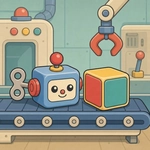
📝Toy Factory Conveyor Overview
Orders keep rolling in, toy parts lie scattered everywhere, and the timer is already ticking—can you grab, combine, and paint fast enough to keep the conveyor flowing?
💬What is Toy Factory Conveyor?
Toy Factory Conveyor lulls you in with a cozy little workshop, then quietly turns into a frantic game of memory and mouse speed. Orders slide down the conveyor, each one demanding specific toys—a red rocket, a green dinosaur, maybe a yellow duck with a blue hat. You drag loose parts between workbenches, combine pieces, swap colors, and hope you remembered which bench does what. The first order feels like a tutorial. The fifth order feels like someone turned the conveyor speed up to max while you weren't looking.
I kept getting burned by the paint station. You'd think dragging a part onto a color swatch would be foolproof, but when three orders are stacked and the timer is down to ten seconds, suddenly that red rocket is still blue and you're frantically dragging it back across the screen. That's the real game: not the assembly, but the mental juggling. You learn to batch tasks—paint all parts first, then combine, then sort by order—but one wrong drag and the whole line backs up.
It's not a game about deep strategy, and that's fine. It's a hypercasual rush, perfect for a study break or a quick session between classes. The controls are just click-and-drag, no keyboard gymnastics. I appreciate that the timer is generous enough to let you recover from mistakes, but tight enough to keep your heart rate up. If you like time-management chaos with a toy factory twist, this one's a weirdly satisfying way to lose twenty minutes.
👥How to Play Toy Factory Conveyor
Open an order on the conveyor and check which toys are needed. Drag parts between workbenches, create the right items, change their color, or combine pieces together. When a toy is ready, move it into the order. Finish before the timer runs out to earn mo
✨Game Tips
Check the order list before you start dragging—knowing you need two red parts instead of one saves a trip back to the paint bench.
Keep the paint station close to the assembly bench; dragging across the whole screen wastes seconds better spent on the next order.
Don't overproduce parts. If an order calls for two blue wheels, make exactly two. Extra pieces clutter the belt and slow you down.
When multiple orders are active, tackle the one with the shortest timer first, even if it means leaving an easier order half-finished.
Use the conveyor direction as a visual cue—new orders appear at one end, so keep an eye on that side instead of scanning randomly.
🔧FAQ
Q: Is Toy Factory Conveyor free to play?
A: Yes, it's completely free in your browser with no hidden payments or premium unlocks.
Q: Can I play Toy Factory Conveyor on my phone?
A: The game works on most mobile browsers, but dragging parts is easier with a mouse or a touchscreen.
Q: Do I need to download anything to play?
A: No downloads or installations. Just open the page and the game loads instantly as HTML5.
Q: What happens if I run out of time on an order?
A: The order fails and disappears, but you can keep playing and complete the remaining orders on the conveyor.
Q: How do I change a toy's color?
A: Drag the part onto the paint bench, then drag it onto the color you want before assembling.
Q: Can I pause the game if I need a break?
A: Most versions let you pause by clicking away or using the pause button if available, but timing continues otherwise.