
Toy Game For Kids
Play Count0
Published2025-01-20
Supported DevicesPC + Mobile
CategoryArcade & Classic
Rating★★★★★5.0Rate this game
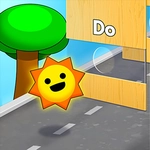
📝Toy Game For Kids Overview
A screenful of bright plastic toys is begging for a tap—squeeze a duck, spin a wheel, and find out which one makes the silliest sound.
💬What is Toy Game For Kids?
I wasn't expecting much from a game called Toy Game For Kids, but twenty minutes later I was still clicking a rubber duck to make it quack in three different pitches. The screen is basically a virtual playmat covered in colorful toys—each one reacts to your mouse or finger differently. There's a spinning top that wobbles if you tap too hard, a jack-in-the-box that pops out faster the more you poke it, and a xylophone that lets you drag across the keys for a messy glissando. No score, no timer, no wrong moves. It's just pure cause-and-effect, which makes it weirdly relaxing after a day of serious games.
The real charm is discovering the hidden reactions. I double-tapped the spinning top and it fell over with a cartoonish thud. I held down on the bubble blower and it filled the screen with floating orbs that popped one by one. Even the background does things—clicking the empty space resets all the toys to their starting positions. My four-year-old niece grabbed the tablet and figured out every interaction in about three minutes without reading a single word. That's the sign of a good toy: no instructions needed.
Don't expect deep mechanics or a story. This is a digital busy box, and that's fine. It's the kind of thing you open for a few minutes of silly noise, then leave open for the little ones while you do something else. Just make sure the volume isn't up too high if you're in the same room.
👥How to Play Toy Game For Kids
Mouse click or tap to play
✨Game Tips
Tap the jack-in-the-box several times quickly—it gets impatient and pops out faster each time.
Hold down on the bubble blower to fill the whole screen with floating bubbles, then pop them one by one.
Double-tap the spinning top to make it wobble and tip over with a fun sound.
Drag your finger across the xylophone instead of tapping individual keys to create a messy, sliding melody.
Click the empty background to reset every toy back to its starting position instantly.
Turn the volume up a little—each toy has its own distinct, goofy sound effect.
🔧FAQ
Q: Is Toy Game For Kids free to play?
A: Yes, it's completely free to play online without any hidden fees or subscriptions.
Q: Can I play Toy Game For Kids on my phone?
A: Absolutely. The game works on mobile browsers and tablets using tap controls.
Q: Do I need to download anything to play?
A: No download needed. It runs right in your web browser with HTML5.
Q: Is Toy Game For Kids safe for toddlers?
A: Yes, there's no violence, ads, or external links. It's just colorful toys that react to taps.
Q: What age group is this game best for?
A: It's designed for young kids, roughly ages 2 to 5, but older players might find it oddly satisfying too.
Q: How do I control the toys?
A: Just click with a mouse or tap the screen. Each toy responds to simple touch or click inputs.