
trezeBlocks 2
Play Count0
Published2022-01-05
Supported DevicesPC + Mobile
CategoryPuzzle & Thinking
Rating★★★★★5.0Rate this game
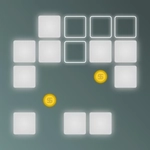
📝trezeBlocks 2 Overview
Drag white pieces onto the grid, fill every row to clear it, and keep the board from locking up—sounds simple until the shapes get weird.
💬What is trezeBlocks 2?
There's a special kind of frustration that comes from staring at a white piece that simply refuses to fit anywhere on the grid—and trezeBlocks 2 delivers it in spades. You get a bunch of polyomino-style blocks, each one a different shape, and you drag them onto a square grid wherever you want. No rotation, no flipping, just pure placement. The goal is to fill entire rows or columns so they vanish and you earn points. But the grid fills up fast, and the pieces you're dealt are rarely the ones you need. I spent a solid three minutes once trying to wedge a four-block straight line into a gap that only had room for three, then realized I'd blocked myself two turns earlier by clearing a row too eagerly. That's the kind of puzzle this is—it punishes greed and rewards patience.
The controls are stupid simple: click or tap a piece, drag it over the grid, release to drop it. You can see the next piece coming, which is the only mercy the game gives you. Because there's no rotation, every shape is fixed, so you have to plan around corners and awkward edges. The white pieces stand out sharply against the dark grid, and the satisfying click of a row clearing feels like a tiny victory every time. What makes trezeBlocks 2 different from a million other block puzzles is how quickly the board spirals. You'll be cruising, clearing lines, feeling smart, then suddenly there's a scattered mess of single-block holes and every piece you get is a giant L that fits nowhere. It's not unfair—it's just relentless.
If you're the type who likes Tetris but hates the time pressure, this is your jam. There's no clock, no enemies, no gimmicks. Just you, a grid, and a growing pile of white blocks. I kept coming back after each game over because losing always felt like my fault, not the game's. The high score chase is real, but so is the quiet satisfaction of finally clearing a board that looked impossible ten seconds ago.
👥How to Play trezeBlocks 2
Drag (touch) the white pieces to the grid in desired places.
✨Game Tips
Keep an eye on the next piece preview—planning two moves ahead beats reacting to the current shape.
Corners are your best friends for awkward pieces, so fill them early before they become traps.
Don't clear rows too quickly if it leaves scattered single blocks you can't place anywhere useful.
Try to keep at least one open row or column as an escape hatch for long straight pieces.
If a piece looks impossible to place, scan for gaps spaced exactly one block apart—sometimes there's a hidden fit.
🔧FAQ
Q: Is trezeBlocks 2 free to play?
A: Yes, it's completely free in your browser with no paywalls or hidden fees.
Q: Can I play trezeBlocks 2 on my phone?
A: Absolutely. The game supports touch controls, so you can drag pieces with your finger on mobile.
Q: Do I need to download anything to start playing?
A: No downloads required. It runs in any modern web browser using HTML5.
Q: What happens if I place a piece badly and get stuck?
A: You can usually clear rows to make space, but if the board fills up the game ends. Just restart.
Q: Is trezeBlocks 2 available offline?
A: You'll need an internet connection to load the page, but once loaded you might be able to continue without it.
Q: Can I play trezeBlocks 2 on a school Chromebook?
A: Yes, it works on Chromebooks because it's just a browser game with no installation needed.