
Trick Or Spot
Play Count0
Published2024-10-25
Supported DevicesPC + Mobile
CategoryArcade & Classic
Rating★★★★★5.0Rate this game
📝Trick Or Spot Overview
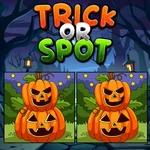
Spot the sneaky differences before the timer hits zero in this Halloween-themed twist on classic find-the-difference.
💬What is Trick Or Spot?
Trick Or Spot takes the classic spot-the-difference formula and wraps it in a Halloween skin that actually works. You get two side-by-side images—jack-o'-lanterns, haunted houses, skeletons, the usual October suspects—and a ticking clock. At first I thought it'd be a breeze, but some of those differences are genuinely sneaky. A missing button on a scarecrow, a bat that's slightly smaller, a shadow that points left instead of right. The timer adds pressure without feeling unfair; misclicks just eat a little time, so you learn to scan methodically instead of poking randomly.
What I appreciate is how the game keeps you honest. The hint button is there when you're staring at the same pixel for thirty seconds, but it costs you—maybe not points, but it feels like admitting defeat. I ended up using it once on a level where a spider had an extra leg. That's the kind of detail that separates a lazy reskin from a proper hidden object challenge. The Halloween theme isn't just decoration either; the color palettes are dark and moody, which actually makes some differences harder to spot against shadows. It's a small thing, but it matters.
Overall, if you like finding differences and don't mind a spooky vibe, this one's a solid way to kill ten minutes. The levels are short enough to fit a break, and the difficulty ramps up gradually. I kept coming back to beat my own time, which is rare for this genre.
👥How to Play Trick Or Spot
Mouse or Touchpad: Click or tap directly on the differences between the two images.
Hint Button: If you get stuck, click or tap the hint button for help.
Timer: Keep an eye on the timer! Find all the differences before it runs out to complete the level
✨Game Tips
Scan each image in quadrants; don't jump randomly or you'll waste timer seconds.
Look at background details first—shadows, stars, window shapes—because those hide differences better than big foreground objects.
Use the hint only when you've been stuck on the same area for over 20 seconds; it's tempting but you'll feel better solving it yourself.
Pay attention to tiny color shifts: a slightly different shade on a pumpkin can be the only change.
Misclicks cost time, so hover carefully before tapping, especially on touchpads.
After clearing a level, replay it once—you'll spot differences faster and train your eye for the next board.
🔧FAQ
Q: Is Trick Or Spot free to play?
A: Yes, it's completely free to play in your browser; no payment is required to unlock levels or features.
Q: Can I play Trick Or Spot on mobile?
A: Yes, the game works on mobile browsers using touch controls; tap the image where you think a difference is.
Q: Do I need to download anything to play Trick Or Spot?
A: No download needed. It runs directly in your browser as an HTML5 game, just click and play.
Q: What happens if I click the wrong spot?
A: A wrong click usually adds a small time penalty or just wastes a moment; it won't end the level instantly.
Q: How does the hint button work in Trick Or Spot?
A: The hint button highlights one difference for you, but it may have a cooldown or limited uses per level.
Q: Is there a timer in Trick Or Spot?
A: Yes, each level gives you a set amount of time to find all differences before it runs out.