
Turbo Car City Stunt
Play Count0
Published2021-08-24
Supported DevicesPC
CategoryDriving & Racing
Rating★★★★★5.0Rate this game
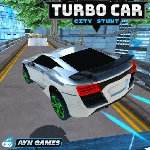
📝Turbo Car City Stunt Overview
Rip through city streets, slam the nitro, and pull ridiculous stunts that would make any driving instructor faint.
💬What is Turbo Car City Stunt?
I loaded this up expecting another cookie-cutter driving game, but the handbrake alone kept me hooked. You get a decent chunk of open city to tear around in, and the physics lean arcade without feeling like soap on glass. The nitro button (N) is your best friend once you learn to feather it — full blast into a corner will send you spinning, but a quick tap mid-drift straightens you out and throws you forward like a slingshot.
What surprised me is the camera toggle. Hit C and you can swing the view around, which actually matters when you're trying to line up a jump off a loading ramp or see what's behind that parked bus. It's not just a gimmick. The stunt system rewards creativity rather than perfection: you'll get points for near-misses, air time, and chaining drifts into jumps. I found myself spending twenty minutes just trying to launch off a specific elevated road near the center plaza, because the angle mattered more than speed.
If you're expecting Forza-level polish, adjust expectations. But for a browser game you can jump into during lunch, it scratches a very specific itch. The city is small enough to memorize but big enough to find new lines. My only gripe? The arrow keys and WASD both work, but there's no way to remap, so left-handers on WASD are stuck with the default. Still, after a few runs you'll be grinning when you thread a narrow alley with the handbrake fully locked.
👥How to Play Turbo Car City Stunt
Move: "ARROW KEYS" - "WASD" Nitro: "N" Camera : "C" HandBrake : "SPACE"
✨Game Tips
Tap nitro instead of holding it — a short burst out of a drift gives you a huge speed boost without the spin.
Use the handbrake (SPACE) to initiate every sharp turn, then counter-steer with the opposite direction.
Switch to the cinematic camera (C) when approaching ramps; it lets you see the landing spot before you commit.
Practice the same ramp three times in a row. The angle you hit it changes your air distance more than raw speed.
Don't ignore near-misses. Grazing a car or barrier during a drift adds a solid score multiplier.
If you start fishtailing on a straight, let off the gas for half a second instead of fighting the wheel.
🔧FAQ
Q: Is Turbo Car City Stunt free to play?
A: Yes, it's completely free in your browser with no paywalls.
Q: Can I play Turbo Car City Stunt on my phone?
A: Mobile support depends on the site, but it's designed for keyboard controls on desktop.
Q: Do I need to download anything to start playing?
A: No download needed — it runs directly in your browser as HTML5.
Q: Why does the camera feel weird sometimes?
A: Press C to cycle camera angles until you find one that matches your driving style.
Q: Which control scheme is better, arrow keys or WASD?
A: Both work identically; choose whichever feels natural for your left hand.
Q: Is there a way to save my best stunt score?
A: The game tracks your current session high score, but does not save progress after you close the tab.