
Turbo Racing 3D HTML5
Play Count0
Published2023-11-29
Supported DevicesPC + Mobile
CategoryDriving & Racing
Rating★★★★★5.0Rate this game
📝Turbo Racing 3D HTML5 Overview
Slip into the driver's seat and floor it through a sun-baked neon track where every corner demands split-second braking.
💬What is Turbo Racing 3D HTML5?
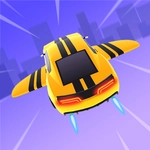
Look, I've lost entire lunch breaks to this one. Turbo Racing 3D HTML5 throws you onto a slick futuristic circuit where the only thing between you and first place is your nerve on the throttle. The car feels weighty but responsive—tap the gas and the screen vibrates with a low rumble you can almost hear, the kind of feedback that makes you lean into corners even though you're just clicking a mouse. It's not a sim, don't expect tire wear or pit stops. It's pure arcade rush: three lanes, aggressive AI, and a finish line that always seems one more lap away.
The controls couldn't be simpler. You click or tap to accelerate, and the car auto-steers along the track, which sounds like cheating until you realize the real skill is timing. Brake too early and you lose momentum; brake too late and you slam into the barrier, watching your speed bleed away while opponents blow past. I kept restarting the same race because I wanted to nail that one hairpin after the tunnel—there's a rhythm to it, a click-click-brake pattern that feels amazing when you finally thread it without lifting. The 3D visuals are bright and clean, with enough sense of speed to make the near-misses feel personal.
For a free browser game, it punches way above its weight. There's no download, no sign-up, just a quick load and you're racing. If you've got five minutes to kill or want something to grind while a video buffers, this is exactly the kind of game that fits in the cracks. Don't sleep on it just because it's simple—simple is what makes it so replayable.
👥How to Play Turbo Racing 3D HTML5
Mouse click or tap to play
✨Game Tips
Brake early for the hairpin right after the overhead sign—you'll keep more exit speed.
Listen for the engine pitch: it climbs just before the auto-shift, so use that to time your brake taps.
Stay in the middle lane on straightaways to block the AI from slipstreaming past.
Don't hold the throttle through the chicane; feather it with quick clicks to maintain control.
Restart a level if you're not in the top 3 after the first lap—the rubber-banding gets brutal.
🔧FAQ
Q: Is Turbo Racing 3D HTML5 free to play?
A: Yes, it's 100% free in your web browser with no paywalls or hidden fees.
Q: Do I need to download anything to start racing?
A: No downloads or installs. Just open the page, wait for it to load, and click or tap to drive.
Q: Can I play Turbo Racing 3D HTML5 on my phone?
A: Yes, the game supports touch and mouse controls, so it works on most modern mobile browsers.
Q: What are the controls?
A: Simply click or tap to accelerate. The car steers automatically, but you control braking and acceleration timing.
Q: Why does my car crash when I click too fast?
A: Clicking rapidly makes you accelerate into corners too hard. Tap in short bursts and tap lightly before turns.
Q: Is there a multiplayer mode or leaderboard?
A: This is a single-player arcade racer with AI opponents. It's about beating your own best lap times.