
Turn on the TV
Play Count0
Published2020-12-09
Supported DevicesPC + Mobile
CategoryFun & Crazy
Rating★★★★★5.0Rate this game
📝Turn on the TV Overview
Think you can solve a room full of weird objects and hidden switches just to get one stubborn TV running?
💬What is Turn on the TV?
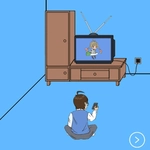
You'll click around a cramped living room, poking at lamps, picture frames, weird wall sockets, and whatever else looks even slightly interactive. The goal is simple: turn on the damn TV. But nothing works the way you think. I spent a good five minutes clicking the remote like an idiot before realizing it needed batteries hidden behind a couch cushion. Then the power cord was unplugged. Then the outlet itself was fake. That's the game's whole personality — layers of small, almost insulting logic puzzles stacked on top of each other. Some clicks trigger tiny animations: a drawer slides open, a painting tilts, a suspicious floorboard pops up. Pay attention to those. They're never just decoration.
The art style is basic but serviceable, like a slightly better Flash game from 2010. You don't need reflexes or timing, just a willingness to click everything and think backwards from the goal. What would stop a TV from turning on? No power. No signal. No batteries in the remote. Maybe the TV itself is unplugged. Maybe there's a breaker switch hidden behind a plant. The game rewards methodical searching, but it also punishes mindless clicking with dead ends. A few items are red herrings — you'll click a soda can and nothing happens, just a hollow sound. Frustrating? A little. But when the TV finally blasts static, the tiny dopamine hit is real.
If you get stuck, don't rage quit. Step back and look at the room as a whole. The clue is usually in the object's position or the order you interact with things. And yes, the fan in the corner matters.
👥How to Play Turn on the TV
Click on the items in the scene and use your brain to turn on the TV.
✨Game Tips
Click the remote first; it's never as straightforward as it looks.
Hover your cursor over every object slowly — some hotspots only appear after a delay.
If an item moves or makes a sound, that's a clue, not a glitch.
Don't ignore the room's corners and behind furniture. The dev loves hiding things there.
When you find a battery, don't immediately use it. Check if another device needs it first.
Stuck? Reset the room mentally: list what a TV needs (power, signal, input), then hunt each one.
🔧FAQ
Q: Is Turn on the TV free to play?
A: Yes, it's completely free in your browser with no hidden fees.
Q: Can I play Turn on the TV on my phone?
A: Most mobile browsers support it, but tapping small objects is easier with a mouse.
Q: Do I need to download anything to play Turn on the TV?
A: No download needed. Just open the game page and start clicking.
Q: What if I get stuck in Turn on the TV?
A: Try clicking objects in a different order; some puzzles require a specific sequence.
Q: Is Turn on the TV suitable for kids?
A: Yes, it has no violence or scary content, just brain-teasing fun.
Q: How long does it take to finish Turn on the TV?
A: Most players solve it in 5 to 15 minutes, depending on how methodical you are.