
Two Cars
Play Count0
Published2022-10-21
Supported DevicesPC
CategoryArcade & Classic
Rating★★★★★5.0Rate this game
📝Two Cars Overview
Can you steer two cars at once, dodging squares in both lanes, while your brain tries not to short-circuit?
💬What is Two Cars?
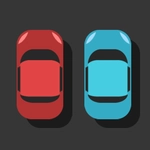
Two Cars throws you into the deep end immediately. Both vehicles scroll forward on parallel roads, and squares drop down in each lane. Your job is simple to say, brutal to execute: tap the left side of the screen to move the left car, tap the right side to move the right car. On desktop, that's the A and L keys. The catch? You're doing both at once. Your brain has to split into two independent threads, and that's exactly when the chaos starts.
I died about fifteen times before I managed to get past the first screen without a collision. The problem isn't raw speed—it's that the two lanes don't move in sync. One car will have a clear opening while the other is about to faceplant into a block, and your thumbs (or fingers) will twitch the wrong way. The moment I realized I could sort of "pre-load" my attention, glancing at the upcoming squares and planning which hand taps when, the game clicked. That feeling of finally steering both cars through a tight gap, like a tiny conductor waving invisible batons, kept me coming back for more.
The visuals are bare-bones—two colored cars, gray squares, a road that scrolls forever—but that's the point. No distractions, just pure reaction and coordination. It gets faster over time, naturally, and the background color shifts every few points to keep your eyes from glazing over. If you've ever wanted a two-player game that you can play solo against your own split brain, this is it. Just don't blame me when you start tapping your desk like an idiot.
👥How to Play Two Cars
Tap left & right screen.
Press the [A] and [L] keys on the keyboard.
✨Game Tips
Practice tapping with your index fingers before expecting any long runs.
Glance ahead to spot which lane has the next obstacle, then act on both lanes at once.
Don't watch the cars directly—stare at the middle and use peripheral vision for both sides.
On desktop, keep A and L fingers resting on the keys, not hovering, to shave reaction time.
Expect the pace to spike suddenly; take a breath and let your hands follow the rhythm.
If one lane is clear, don't ignore it completely—squares can appear out of nowhere after a short gap.
🔧FAQ
Q: Is Two Cars free to play?
A: Yes, it's completely free. No hidden payments or subscriptions.
Q: Can I play Two Cars on my phone?
A: Absolutely. Tap the left and right sides of the screen to steer each car.
Q: Do I need to download or install anything?
A: No download needed. It runs right in your browser as an HTML5 game.
Q: What are the keyboard controls for Two Cars?
A: Use A for the left car and L for the right car. That's it.
Q: Why is Two Cars so hard?
A: Your brain handles two tasks at once, which takes practice. Start slow and build muscle memory.
Q: Does Two Cars have multiplayer?
A: No, it's single-player. You control both cars against the same obstacle stream.