
Two Tunnel 3D
Play Count0
Published2021-09-30
Supported DevicesPC
CategoryAction & Fighting
Rating★★★★★5.0Rate this game
📝Two Tunnel 3D Overview
Grab a friend, slam those arrow keys, and see who survives the neon tunnel longer — because only one of you gets bragging rights.
💬What is Two Tunnel 3D?
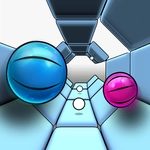
Two Tunnel 3D throws you and a buddy into parallel neon tubes that get faster and meaner the longer you last. One of you hammers A and D, the other uses the arrow keys, and both of you are dodging spinning barriers, sudden walls, and color-shifting gates that punish hesitation. It's the kind of game where your eyes lock onto your own lane but your peripheral vision keeps checking the other screen. Half the fun is hearing your opponent curse when they clip a wall.
I kept coming back because the difficulty curve isn't fair — but that's exactly why it works. The first twenty seconds lull you into confidence, then the tunnel banks sideways and the obstacles start coming in pairs. You think you have the rhythm, then a red block appears where your muscle memory says there should be space. The split-screen setup means you can't just memorize one path; you have to react while your brain processes both lanes at once. That's the real challenge. And the 3D effect actually matters here — depth perception lets you judge when to commit to a gap, which feels way better than a flat side-scroller.
It's best played with someone sitting next to you so you can hear the panic. The visual style is simple — glowing outlines, dark background, the occasional particle burst when someone crashes — but it never distracts from the core loop. If you're solo, the second tunnel stays empty and you're just racing your own reflexes, but honestly the two-player mode is the whole point. Expect rematches. Lots of rematches.
👥How to Play Two Tunnel 3D
"A,D" and "Left - Right Arrows"
✨Game Tips
Use the edges of your lane early on — obstacles rarely spawn there in the first 30 seconds, so you can coast while scanning ahead.
When the tunnel starts rotating, don't fight the camera tilt. Just react to what's coming straight at you and trust your lateral movement.
Play with sound on if you can. The audio cue for a near-miss isn't just satisfying, it tells you which side is safe before you consciously see it.
If you're the player using arrow keys, keep your hands anchored — sliding your fingers off the keys for even a split second is how you eat a wall.
Don't watch your opponent's screen for more than a glance. The tunnel speeds up independently, so their timing won't help you.
When the color shifts to red, the next obstacle sequence is usually mirrored from the last one — so prepare for the opposite side.
🔧FAQ
Q: Is Two Tunnel 3D free to play?
A: Yes, it's completely free in your browser with no hidden paywalls or ads that block gameplay.
Q: Can I play Two Tunnel 3D on mobile?
A: The game works on mobile browsers, but the two-player controls need a keyboard, so it's best on desktop.
Q: Do I need to download anything to play?
A: No downloads or installs. Just open the page and it runs instantly as HTML5.
Q: Can I play Two Tunnel 3D alone?
A: Yes, you can play solo with one set of keys, but the real fun is the local two-player mode.
Q: What are the controls for Two Tunnel 3D?
A: Player one uses A and D, player two uses left and right arrow keys to move side to side in the tunnel.
Q: Does Two Tunnel 3D save my high score?
A: It doesn't save between sessions, but the game shows your current survival time so you can beat your own record.