
Uber Sim Transport 2020
Play Count0
Published2019-12-24
Supported DevicesPC
CategoryAction & Fighting
Rating★★★★★5.0Rate this game
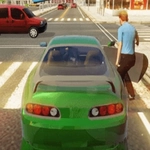
📝Uber Sim Transport 2020 Overview
Slide behind the wheel, pick up impatient passengers, and race through congested streets in this no-nonsense driving sim.
💬What is Uber Sim Transport 2020?
I'll be honest: I expected another half-baked browser driving game. The first time I slammed into a taxi because I misjudged the turning radius, I almost closed the tab. Then something clicked. The weight of the car, the way the camera lags just enough to feel real, the constant pressure of the fare timer ticking down — it all works together to create a surprisingly tense loop.
Your job is simple on paper: drive to the passenger, stop close enough to trigger the pickup, then get them to the drop-off before the timer expires. But traffic doesn't care about your rating. Buses cut you off, pedestrians jaywalk, and one wrong turn sends you down a one-way street with no quick escape. I once squeezed through a gap between a bus and a wall with two seconds left, dropped the passenger right at the curb, and earned a perfect tip. That's the stuff that keeps you coming back.
The controls are WASD, no frills. You'll learn to brake early, coast through yellow lights, and memorize which alleys actually connect. The graphics are basic, but the gameplay loop has teeth. If you like low-stakes chaos and the fantasy of being a rideshare legend without the awkward small talk, it's worth a spin.
👥How to Play Uber Sim Transport 2020
wasd - drive
✨Game Tips
Brake early and coast into stops instead of slamming the pedal — smoother parking means faster pickups.
Keep an eye on the fare timer, but don't panic; a well-timed shortcut beats three seconds of panic braking.
Learn the back alleys around major intersections. They almost always shave time off the busier routes.
Traffic AI won't yield at crosswalks, so slow down when approaching pedestrians even if the light is green.
Use the camera angle that lets you see both side mirrors before changing lanes. Blind spots are brutal here.
If a passenger looks impatient, a near-perfect stop can still earn a decent tip even if you arrived late.
🔧FAQ
Q: Is Uber Sim Transport 2020 free to play?
A: Yes, it's completely free in your browser with no hidden paywalls or premium features.
Q: Can I play Uber Sim Transport 2020 on mobile?
A: It works on most mobile browsers, though a keyboard gives you much finer steering control.
Q: Do I need to download anything to play?
A: No downloads or installs required. Just open the page and start driving.
Q: What are the controls for Uber Sim Transport 2020?
A: Use WASD or arrow keys to drive. Spacebar is often the handbrake, but check the in-game prompt.
Q: Does the game have a timer or time limit?
A: Each fare has a drop-off timer, but there's no overall game timer. You can keep playing as long as you like.
Q: Will my progress save between sessions?
A: No, it's a casual browser game. Your rating resets when you close the tab.