
Unblock Ball: Slide Puzzle
Play Count0
Published2022-06-07
Supported DevicesPC + Mobile
CategoryPuzzle & Thinking
Rating★★★★★5.0Rate this game
📝Unblock Ball: Slide Puzzle Overview
Slide the wooden blocks out of the way and guide that stubborn ball to the exit — one wrong move and you'll be untangling your own mess.
💬What is Unblock Ball: Slide Puzzle?
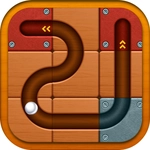
I opened Unblock Ball thinking I'd knock out a few levels while waiting for a download. An hour later I was still there, convinced the next level would be the one that stumped me. The idea is brutally simple: a board of wooden tiles, a ball stuck at one end, a glowing exit at the other. You slide the tiles around — up, down, left, right — until there's a clear path for the ball to roll through. No timers, no scores, no enemies. Just you, some blocks, and a deceptively tricky geometry problem.
The moment that hooked me came around level 14 or 15. I had slid four tiles into what I was sure was a perfect snake path, only to realize I'd blocked my own starting tile. That's the real challenge: every move affects the next, and a single tile out of place can force you to undo everything. The wooden blocks have different sizes — some are long, some are short — and that changes how they can turn or squeeze through gaps. You quickly learn to treat the board like a tiny parking lot where every block needs a spot.
There's no punishment for messing up. Hit reset and the board snaps back instantly, which is why the game feels so hard to quit. It's pure logic dressed up as a casual toy. If you enjoy sliding puzzles, Rush Hour-style traffic jams, or any game where you stare at a screen and suddenly yell 'OH, that's it,' this will scratch that itch perfectly. Unblock Ball is the kind of game you open for a minute and accidentally play for an hour.
👥How to Play Unblock Ball: Slide Puzzle
Use your mouse or touch to drag wooden tiles into 4 direction - Up, down, left or right and make path for ball to go from start to end tile
✨Game Tips
Start by spotting which tiles actually block the ball's path — don't waste moves on tiles that aren't in the way.
When stuck, trace the path backwards from the exit to find the first blocked tile.
Use the board's edges as temporary 'parking spots' to slide long tiles out of tight corners.
Reset without hesitation; a fresh board often reveals an obvious move you missed.
Pay attention to tile sizes — long blocks can't rotate in narrow gaps, so clear space before sliding them.
🔧FAQ
Q: Is Unblock Ball: Slide Puzzle free to play?
A: Yes, it's completely free in your browser with no payment required.
Q: Can I play it on mobile devices?
A: Yes, touch controls work smoothly on phones and tablets.
Q: Do I need to download or install anything?
A: No, the game runs directly in your browser as an HTML5 game.
Q: How do I move the wooden tiles?
A: Drag them with your mouse or finger in four directions — up, down, left, or right.
Q: What if I get stuck on a level?
A: Use the reset button to restart the current level without any penalty.
Q: Is Unblock Ball suitable for kids?
A: Absolutely — it's a family-friendly logic puzzle with no violence or time pressure.