
Unblock it
Play Count0
Published2021-03-15
Supported DevicesPC
CategoryPuzzle & Thinking
Rating★★★★★5.0Rate this game
📝Unblock it Overview
Can you untangle the traffic jam of blocks and free the red one? Every slide counts in this brain-teasing puzzle.
💬What is Unblock it?
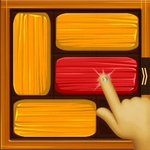
You know that feeling when a puzzle looks easy, then five minutes later you're questioning your spatial reasoning? That's Unblock It. The board is a grid packed with rectangular blocks — some horizontal, some vertical — and one red block stuck somewhere in the middle. Your only job is to slide things left, right, up, or down until that red block slips out through the gap on the edge. No rotations, no jumping, no power-ups. Just pure sliding logic.
The early levels lull you into thinking you're a genius. Level 3? Done in four moves. Level 7? Eight moves, no sweat. Then around level 15, the board gets crowded, and suddenly you're staring at a red block boxed in by three others that all need to move in a specific order. The "aha" hits when you finally spot the three-move sequence that frees everything — but you've already spent five minutes shuffling randomly. That's the charm. It feels like untangling a knot with your brain.
There are hundreds of levels, and the difficulty climbs steadily without ever feeling unfair. A move counter tracks your steps, and while there's no penalty for taking your time, beating a level in fewer moves than the par feels fantastic. If you get hopelessly stuck, a hint system nudges you in the right direction, but I've found it more satisfying to reset and try a completely different opening. The visuals are clean and uncluttered — just colored blocks on a wooden board — which keeps your focus on the puzzle, not the polish. For fans of classic slide puzzles or anyone who likes a mental workout that doesn't require a tutorial, this one's easy to recommend.
👥How to Play Unblock it
Unblock it puzzle game
✨Game Tips
- Always look for the longest block first — moving it often frees up multiple spaces.
- Try to slide the red block as soon as possible; don't keep it buried.
- If you're stuck, reset and move the blocks that block the exit path in reverse order.
- Count moves to beat par; sometimes a less obvious two-step sequence is shorter than the direct push.
- Use the hint system sparingly — it shows one possible move, not the whole solution.
- Vertical blocks only move up/down, horizontal only left/right; plan around their fixed directions.
🔧FAQ
Q: Is Unblock It free to play?
A: Yes, it's completely free in your browser with no hidden fees or subscriptions.
Q: Can I play Unblock It on my phone or tablet?
A: Absolutely. The game works on mobile browsers with touch controls, so you can slide blocks with your finger.
Q: Do I need to download or install anything?
A: No download needed. Just open the game page and start playing instantly.
Q: How many levels does Unblock It have?
A: There are hundreds of levels, with difficulty increasing as you progress.
Q: Is Unblock It good for kids?
A: Yes, it's a family-friendly puzzle that helps develop logical thinking and planning.
Q: What if I get stuck on a level?
A: You can use the hint button for a nudge or reset the board and try a different move order.