
Unblock Puzzle
Play Count0
Published2022-07-25
Supported DevicesPC + Mobile
CategoryPuzzle & Thinking
Rating★★★★★5.0Rate this game
📝Unblock Puzzle Overview
Slide the wooden blocks, free the red one, and watch your move count climb—can you crack the grid in the fewest moves?
💬What is Unblock Puzzle?
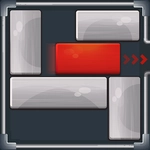
Nothing beats that first click of a wooden block sliding into an empty slot—and Unblock Puzzle is built on exactly that tiny dopamine hit. You've got a red block trapped inside a grid of other colored blocks, and one narrow exit on the frame's edge. Your job is simple: slide everything out of the way until the red block can slide free. But the "simple" part evaporates around level 15, when you're staring at five blockers and the exit is on the opposite side of the board.
The real draw isn't just solving each level—it's doing it in as few moves as possible. The game counts every slide, and that number becomes an obsession. I caught myself restarting the same level six times because I knew I could shave off two moves. That's the magic: no timers, no enemies, no pressure, just you versus the grid. When you do get stuck, a hint system can show you a move, but it won't hand you the optimal path. The click-and-drag feels tight; blocks snap into their tracks with a satisfying little thunk. On mobile, the touch response is just as good.
What surprised me is how much strategy hides in such a clean design. The early levels are warmups—two blocks, one obvious slide. By level 40, you're mentally rotating whole sequences, undoing your own moves, and spotting that one long block that has to shift left before everything else unlocks. It's the kind of game you open for a quick five minutes and surface from an hour later, blinking at the clock. If you've ever lost an afternoon to Rush Hour or those sliding puzzles at the dentist's office, this is exactly that itch, polished and endless.
👥How to Play Unblock Puzzle
Challenging puzzle game for people of all ages. Simply unblock the red block out of the board by sliding the other blocks out of the way. Create an optimal path with minimal moves. If there is a difficult level, you can use the hint. The game comes with 4
✨Game Tips
Plan two moves ahead—random sliding bloats your count fast.
Work backward from the exit to see which blocks actually need to move.
Save hints for when you're truly stuck; they don't always show the optimal path.
Restart immediately if your move count balloons—it resets in a click.
Drag slowly to avoid overshooting a block's track and wasting moves.
Pay attention to long blocks; they often rotate to unlock the red block's route.
🔧FAQ
Q: Is Unblock Puzzle free to play?
A: Yes, it's completely free on this site—no purchases or hidden fees.
Q: Can I play Unblock Puzzle on my phone?
A: Absolutely. It runs in any modern mobile browser with touch controls.
Q: Do I need to download anything to play?
A: No downloads. It's an HTML5 game, so just open your browser and start sliding.
Q: How do I get hints in Unblock Puzzle?
A: Click or tap the hint button when you're stuck, and it will show a suggested move.
Q: Does the game save my level progress?
A: Progress is stored locally in your browser, so you can pick up where you left off.
Q: Are there any move limits per level?
A: No hard move limit, but the challenge is solving each puzzle in the fewest moves possible.