
Unblock That
Play Count0
Published2019-12-04
Supported DevicesPC
CategoryArcade & Classic
Rating★★★★★5.0Rate this game
📝Unblock That Overview
Slide the wooden blockers out of the way and watch the red block finally squeeze through the exit — but every move counts.
💬What is Unblock That?
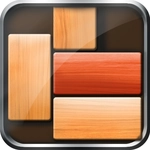
The board starts friendly enough — a red block sitting in a wooden grid, a glowing exit on the right side, and a handful of brown planks. Your job? Shove those planks around until the red block can slide free. Sounds easy. It is not. Unblock That doesn't throw timers or enemies at you, just pure spatial thinking that slowly cranks up the pressure as the grids get crowded.
I got humbled on level 12 when I moved a vertical block up instead of down and somehow locked the red block in place with no way back. That's the real hook: every move has consequences, and the game counts them. You can shuffle pieces indefinitely, but the real challenge is clearing the path in as few moves as possible. Wooden blocks only slide along their orientation — vertical pieces go up and down, horizontal ones left and right. The red block behaves like a horizontal piece, which means you're really juggling space around it. Some later levels look like a Tetris board that's been through a blender, and the solution usually involves moving three blockers in the opposite order you first assume.
What keeps me coming back is how fast a session is. Stuck? Reset and try a different angle. There's no penalty for experimenting, so you can just poke at the puzzle until something clicks. It's a pure brain teaser with a satisfying solved moment: the red block slides out with a clean little motion, and the move counter judges your efficiency. If you like games like Unblock Me or thinky sliding puzzles, you'll sink time into this one without noticing.
👥How to Play Unblock That
Use as few moves as possible to get the red block out. You can move with all wooden blocks.
✨Game Tips
Check which direction every vertical block can move before touching anything.
Work backwards from the exit: clear the lane the red block needs, not the whole board.
Some blocks only need to shift one square to unlock the path, don't overthink.
If you're stuck, reset and try moving the longest blockers first.
Pay attention to the move counter — sometimes a longer path uses fewer moves than you'd expect.
On crowded boards, moving a block away from the exit can create room for a crucial slide.
🔧FAQ
Q: Is Unblock That free to play?
A: Yes, it runs free in your browser with no paywalls. Just open the page and start sliding.
Q: Can I play Unblock That on my phone?
A: It works on modern mobile browsers. The touch controls feel natural for dragging blocks.
Q: Do I need to download anything to start playing?
A: No download required. It's an HTML5 game that loads instantly in your web browser.
Q: What's the goal in Unblock That?
A: Slide the wooden blockers out of the way so the red block can exit through the opening on the side.
Q: Does Unblock That punish me for using too many moves?
A: Not with lives or timers, but the move counter tracks your efficiency. Fewer moves means better.
Q: Is Unblock That suitable for kids?
A: Yes, the puzzles are logic-based with no violence or time pressure. Younger players may need help on later levels.