
Unicorn Slime Designer
Play Count0
Published2021-03-18
Supported DevicesPC + Mobile
CategoryGirls & Lifestyle
Rating★★★★★5.0Rate this game
📝Unicorn Slime Designer Overview
Mix glitter, rainbow pigments, and marshmallow fluff into the most satisfying unicorn slime your screen has ever seen.
💬What is Unicorn Slime Designer?
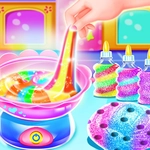
Okay, I'll admit it: I opened Unicorn Slime Designer expecting five minutes of click-and-drag boredom, but twenty minutes later I was still poking at a blob of holographic goo trying to get the perfect swirl of pastel pink and baby blue. The loop is simple — you pick a base slime, dump in colorants and add-ins like star confetti or iridescent beads, then stir it all together with your mouse. The mixing actually feels tactile; you can see the stretch and fold as you drag. I might have made six different batches just to watch the glitter catch the light.
What sets it apart from other makeover games is that there's no pressure. No timers, no fail states, no judging score at the end. You're just designing slimes for the hell of it, then snapshots them onto a shelf like little trophies. The unicorn part comes through in the decorations — tiny horn toppers, pastel color palettes, even some cloud-shaped charms. My go-to combo: clear slime, holographic flakes, a single blueberry scent drop (yes, scents are a thing), and a pink unicorn horn. Let it sit for a second and the sparkle density actually shifts. It's weirdly meditative.
Performance-wise, it runs smooth in a browser tab, no lag even when I piled on five different add-ins. Controls are mouse or tap, so it works fine on a phone, though the fine dragging of beads is easier with a mouse. If you're into slime ASMR or just want a colorful time-waster that doesn't demand reflexes, this one's a surprising gem. I'm not the target demographic, but I'd still play it again.
👥How to Play Unicorn Slime Designer
Mouse or tap to play.
✨Game Tips
Layer two translucent pigments before adding opaque ones — the colors blend way better that way.
Don't over-mix; once the swirl pattern appears, stop or it turns into a muddy single shade.
Use the clear base slime for any combo with holographic flakes; the sparkle pops more.
Unicorn horn toppers add charm, but they also cover a bit of the swirl — place them off-center.
Tap the shelf icon after each batch to save it before starting a new one, or you'll lose that perfect mix.
For a galaxy look, start with black base, add blue and purple dye, then white star confetti — trust me.
🔧FAQ
Q: Is Unicorn Slime Designer free?
A: Yes, it's completely free to play in your browser with no hidden paywalls.
Q: Can I play Unicorn Slime Designer on mobile?
A: Yes, the game supports touch controls, so it works on phones and tablets without extra downloads.
Q: Do I need to download anything to play?
A: No download needed. Just open the page in any modern browser and start mixing.
Q: Is Unicorn Slime Designer suitable for kids?
A: Absolutely. The game has no violence or time pressure, just creative slime mixing with a cute unicorn theme.
Q: What are the controls?
A: Use your mouse or finger to drag ingredients, stir the slime, and place decorations. Simple point-and-click.
Q: Can I save my slime designs?
A: You can snap a screenshot to your device, but there's no built-in gallery save system, so keep your own record.