
Unreal Descent 2: Race
Play Count0
Published2025-03-03
Supported DevicesPC + Mobile
CategoryDriving & Racing
Rating★★★★★5.0Rate this game
📝Unreal Descent 2: Race Overview
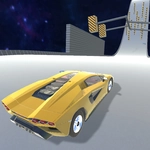
Floor it down twisting tracks, slam the nitro, and leave every rival choking on dust in Unreal Descent 2: Race.
💬What is Unreal Descent 2: Race?
Unreal Descent 2: Race throws you into downhill battles where every corner is a gamble and every straight is a chance to slam the nitro. The cars feel loose and fast—too much gas into a hairpin and you'll kiss the wall, but nail the exit and you'll slingshot past three rivals before they even blink. I kept coming back just to chase that one perfect lap. The tracks twist downward, so momentum builds quickly; braking points matter more than you'd expect for an arcade racer.
On PC you've got the usual setup: W or up arrow to gas, S or down to brake, A and D for steering, C for nitro, and F to flip the camera. But the phone controls are where it gets interesting—you can switch between an on-screen steering wheel and button controls in the settings. I ended up preferring the wheel for fine corrections, though the buttons felt snappier for dodging traffic. The view toggle helps too: hood cam for precision, chase cam for style.
Don't expect a sim; this is pure arcade adrenaline. Opponents are aggressive, nitro respawns keep the pack tight, and one bad drift can drop you from first to fifth. That chaos is the point. Unreal Descent 2: Race is the kind of game you'll fire up for five minutes and lose half an hour to, chasing the ghost of a better run or trying to beat that one rival who always cuts you off at the final chicane. It's not deep, but it doesn't need to be.
👥How to Play Unreal Descent 2: Race
Controls for PC:
Gas: W, up arrow
Brake: S, down arrow
Turn right: D, right arrow
Turn left: A, left arrow
Nitro: C
Change view: F
Controls for phones:
On-screen steering wheel / On-screen buttons. The mode is switched in the game settings.
✨Game Tips
Tap nitro right after a corner exit to straighten up and rocket past the pack.
Use F to switch camera views; the hood cam makes judging descents a lot easier.
Brake earlier than you think on hairpins—wall contact kills more speed than a clean slow entry.
On mobile, tweak the steering mode in settings until the on-screen wheel feels responsive.
Save nitro for the final third of a lap when opponents bunch up.
Watch for downhill sections: they're prime spots to overtake with a full boost bar.
🔧FAQ
Q: Is Unreal Descent 2: Race free to play?
A: Yes, it's completely free and runs right in your browser.
Q: Can I play Unreal Descent 2: Race on my phone?
A: Yes, it works on mobile with on-screen steering wheel or button controls.
Q: Do I need to download anything?
A: No downloads or installs required, just open the page and race.
Q: What are the PC controls?
A: W/up arrow for gas, S/down arrow for brake, A/D for steering, C for nitro, F for camera.
Q: Can I change the camera view?
A: Yes, press F on PC or use the camera button on mobile to switch views.
Q: Is this game unblocked at school?
A: It's an HTML5 web game, so it usually bypasses school network filters.