
Unroll Ball - Roll the ball
Play Count0
Published2020-08-11
Supported DevicesPC
CategoryArcade & Classic
Rating★★★★★5.0Rate this game
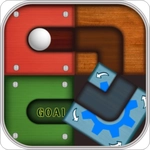
📝Unroll Ball - Roll the ball Overview
Sliding tiles to carve a path for a stubborn little ball sounds easy until you're ten moves deep and realize you've boxed yourself in.
💬What is Unroll Ball - Roll the ball?
Unroll Ball is one of those puzzles that looks like a toy but quickly turns into a brain workout. The board is a grid of tiles, some fixed and some that slide when you swipe a row or column. Your job is to rearrange them so the ball can roll from its starting spot to the hole at the other end. Sounds straightforward, right? That's what I thought. Then I spent five minutes sliding the same column back and forth because I kept forgetting that moving a tile also shifts the ball's position if it's sitting on that row.
The real trick is planning ahead. Unlike a traditional sliding puzzle where you only move one tile at a time, here every swipe moves the whole line. So you're constantly thinking two or three steps ahead: if I push this column down, will the ball roll into a dead end? That one wrong move can trap you, and you'll have to undo or restart the level. I kept coming back to level after level because that moment when the path finally clicks open is genuinely satisfying. You'll find yourself muttering "oh, of course" when you spot the simple alignment you missed.
The difficulty ramps up nicely without ever feeling unfair. Early levels teach you the basics with a forgiving layout, but later ones introduce multiple movable rows and tighter spaces that force you to think about order and direction. There's no timer or score pressure, so you can experiment as much as you want. If you're a fan of logic puzzles that don't require reflexes but still get your brain buzzing, this one will eat up an afternoon before you know it.
👥How to Play Unroll Ball - Roll the ball
Try to make the right way to move the ball to finish hole
✨Game Tips
Work backwards from the goal hole to figure out which tiles need to line up first.
Whenever you slide a row or column, check if the ball is on it—moving the ball accidentally can ruin your plan.
Look for tiles that are already positioned correctly and avoid touching them unless you have to.
If you get stuck, don't be shy about undoing a few moves—it often reveals a simpler path.
Focus on creating a continuous, straight line of connected tiles between the ball and the hole before worrying about the rest of the board.
🔧FAQ
Q: Is Unroll Ball free to play?
A: Yes, it's completely free to play online without any hidden costs.
Q: Can I play Unroll Ball on my phone?
A: Absolutely, it works on mobile browsers as long as you have an internet connection.
Q: Do I need to download or install anything?
A: No downloads needed—just open the game page and start playing instantly.
Q: What if I get stuck on a level?
A: You can restart the level or undo your last few moves to try a different approach.
Q: Does Unroll Ball have multiple levels?
A: Yes, there are many levels with increasing difficulty to keep you challenged.
Q: Is this game suitable for kids?
A: Yes, the puzzles are family-friendly and help develop logical thinking.