
Vegas City Highway Bus: Parking Simulator
Play Count0
Published2019-09-06
Supported DevicesPC
CategoryDriving & Racing
Rating★★★★★5.0Rate this game
📝Vegas City Highway Bus: Parking Simulator Overview
Sliding a forty-foot bus into a tight Vegas parking bay without clipping a fender? That's the whole game, and it's harder than it looks.
💬What is Vegas City Highway Bus: Parking Simulator?
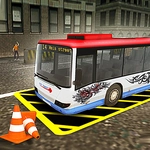
You're behind the wheel of a massive city bus on a highway-adjacent parking course, and the goal is simple: get the bus into the glowing rectangle without turning it into a metal accordion. It sounds basic, but that wheelbase is your worst enemy. I backed into a lamppost three times in a row before I realized the camera toggle (C key) is your real steering wheel—you need to swing it around to see the rear corner. The highway setting means long sweeping turns at speed, then sudden tight maneuvering zones that punish overcorrection.
Controls are WASD, space for brake, C for camera. Nothing fancy. But the physics feel weighty, like the bus actually has mass; you can't just flick it into place. The game doesn't hand you anything. There's no HUD arrow telling you the perfect angle, no rewind button. Miss the bay by a few inches and you're either jammed against a barrier or blocking the entire lane. A few cars cruise by, enough to make you sweat when you're perpendicular across the road. I had one run where I parked perfectly on the line but the rear bumper clipped a cone—failure. Restart. That loop of "almost had it" is what kept me going.
For a parking sim, it has a weird Vegas vibe—billboard lights, wide asphalt, maybe a distant skyline. It won't win awards for graphics but the camera system lets you switch to a cinematic view that actually helps you judge distance. If you're the type who likes precision and hates yourself a little, you'll find the difficulty curve just right. It's not a long game, but each level is a small puzzle of angles and throttle control. Just remember: space bar isn't just brake, it's also your emergency apology when you've committed to a bad angle.
👥How to Play Vegas City Highway Bus: Parking Simulator
WASD - Drive
Space - Brake
C - Camera
✨Game Tips
Toggle C before you start moving; default view hides the rear corners.
Tap W instead of holding it—full throttle makes the bus lurch.
Use space to brake early, not late; momentum carries wide.
Watch the front wheel turn angle, not the bus body, during sharp turns.
If you're stuck, reverse a full bus length before correcting.
Park at an angle, then straighten after the rear axle passes the spot.
🔧FAQ
Q: Is Vegas City Highway Bus: Parking Simulator free?
A: Yes, it's completely free to play in your browser with no hidden fees or purchases.
Q: Do I need to download anything to play?
A: No download needed. It runs on HTML5, so just open the game page and start driving.
Q: Can I play it on mobile or tablet?
A: The game uses WASD keyboard controls, so it's best on a computer. Touchscreen support is limited.
Q: What are the controls?
A: WASD to drive, Space to brake. Press C to switch camera angles for better parking visibility.
Q: Is this game good for beginners?
A: It starts simple but gets tricky. Beginners can use the C camera early and tap W gently.
Q: Can I play this game unblocked at school?
A: Yes, it's an unblocked HTML5 game and works in most school or office browsers without restrictions.