
Warriors Against Enemies Coloring
Play Count0
Published2020-05-27
Supported DevicesPC + Mobile
CategoryArcade & Classic
Rating★★★★★5.0Rate this game
📝Warriors Against Enemies Coloring Overview
Grab a digital brush, pick a shade that screams battle, and turn those black outlines into warriors ready to charge.
💬What is Warriors Against Enemies Coloring?
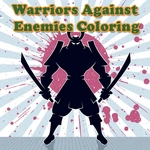
I'll admit I opened this expecting a mindless click-fest, but there's something weirdly soothing about filling in a warrior's helmet with just the right shade of steel. The game drops you onto a clean coloring page — line art of warriors squaring off against monsters, axes mid-swing — and a palette of colors along the side. Click a color, then click a section, and it floods with color instantly. Want to swap? Just tap another shade and keep going. No timer, no score, nobody breathing down your neck. That's the entire appeal.
The controls are dead simple: mouse on desktop, finger on a touchscreen. But the real fun hides in the details. Some sections are tiny — the hilt of a sword or the eye of a snarling enemy — and getting those right without bleeding into the background takes a steady hand. I caught myself picking weird combos like neon green armor with purple fur just to see if the game would let me. It did. There's zero penalty for ugly color choices, which is honestly liberating after a day of games that punish every mistake.
If you need a five-minute break between classes or a way to keep a kid busy without handing them a noisy video, this scratches that itch. It won't replace a full art app, but it doesn't try to. It's a chill little coloring corner that respects your time and lets you play art director for a bunch of pixelated brawlers.
👥How to Play Warriors Against Enemies Coloring
Use your mouse to play or tap on the screen!
✨Game Tips
Start with the biggest background areas first — once those are locked in, tiny sections are easier to see and fill.
Use your brightest colors on weapon edges and armor trim so the fight scene jumps off the page.
Messed up a section? Just pick another color and paint right over it; the game doesn't care one bit.
Try limiting yourself to two colors, like black and red, for a gritty comic-book finish.
Tap slowly on small pieces like eyes or belt buckles — fast taps usually spill into the next area.
🔧FAQ
Q: Is Warriors Against Enemies Coloring free to play?
A: Yes, it's completely free in your browser with no hidden costs or subscriptions.
Q: Can I play Warriors Against Enemies Coloring on my phone?
A: Absolutely — it works on any touchscreen device, so phones and tablets are fine.
Q: Do I need to download anything to start coloring?
A: No downloads needed. It runs directly in a web browser as an HTML5 game.
Q: Are there different scenes or just one image?
A: There are multiple warrior-versus-enemy coloring pages to pick from, though the exact number varies.
Q: Does the game have an undo button?
A: Most coloring games let you repaint over any section, but check for a specific undo option on screen.
Q: Can I save or print my finished artwork?
A: It depends on the version — you can screenshot it, but printing isn't built into the game.