
WaterColor
Play Count0
Published2022-01-25
Supported DevicesPC + Mobile
CategoryPuzzle & Thinking
Rating★★★★★5.0Rate this game
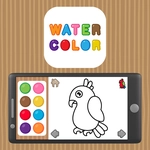
📝WaterColor Overview
Each blank canvas hides a picture, and your only job is to trust the color key and start filling in the patches one satisfying click at a time.
💬What is WaterColor?
I went into WaterColor expecting another mindless click-fest, but the color-matching has a sneaky way of grabbing your attention. You get a picture broken into dozens of small zones, each tied to a specific shade in the palette. Click the color, click the zone, watch it fill. Simple. But as images get busier, you start scanning for the tiny remaining gray patch that's still holding back the whole composition.
The first time I finished a sailboat scene, the final click turned a jumble of pastel blocks into an actual boat on water. That reveal is the hook. It's not testing your reflexes or punishing mistakes; it's more like doing a jigsaw with colors instead of shapes. I kept zooming in mentally, tracing outline edges to find which patches I'd missed.
No timers, no enemies, no pressure. That makes it perfect for a quick brain reset between classes. The hardest part is convincing yourself to stop after one more image. If you're the type who color-codes your notes, you'll feel right at home.
👥How to Play WaterColor
Paint with the colors corresponding to the image.
✨Game Tips
Start with the largest areas first; they lock in the picture and make remaining patches easier to spot.
If a region looks like two similar colors, check the image thumbnail or surrounding zones to confirm.
Click the color once, then click multiple patches in a row without going back to the palette.
Use the edge of a patch as your click target to avoid misclicks, especially on tiny details.
Work from the center outward so you don't accidentally cover a patch you still need to see.
🔧FAQ
Q: Is WaterColor free to play?
A: Yes, it's completely free in your browser with no paywalls or ads blocking the canvas.
Q: Can I play WaterColor on mobile?
A: Yes, the tap controls work fine on touchscreens, though smaller patches are easier on a bigger screen.
Q: Do I need to download anything?
A: No download or installation is required. It runs directly in your web browser.
Q: Is there a time limit or score?
A: No, there's no timer and no score. You can take as long as you want on each picture.
Q: What if I can't find the last gray patch?
A: Scan the image in rows from top to bottom. The remaining patch is often near the edge or a busy section.
Q: Will my progress save automatically?
A: Progress is not saved between sessions, so finish an image before closing the tab if you want the full reveal.