
Which Is Different Halloween
Play Count0
Published2020-11-09
Supported DevicesPC + Mobile
CategoryArcade & Classic
Rating★★★★★5.0Rate this game
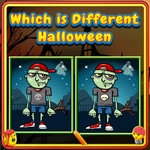
📝Which Is Different Halloween Overview
Spot the odd pumpkin out before the screen fills with creepy twins—your eyes have about three seconds to find the one weird face.
💬What is Which Is Different Halloween?
You'd think spotting a lone oddball in a grid of Halloween icons would be easy. It's not when the screen crowds up with near-identical ghosts, bats, and pumpkins and the countdown bar shrinks faster than a kid's candy stash on November 1st. Each round tosses a fresh layout at you—maybe ten identical spiders except one missing a leg, or a row of Frankenstein faces where one bolt is on the wrong side. The challenge isn't just seeing the difference; it's beating your own brain's habit of assuming everything matches.
I lost more rounds than I'd like to admit to a smug little vampire. Every time it showed up in the grid, my eye locked onto it like it was the odd one, and I'd tap it, convinced. Nope. The actual difference would be a pumpkin with a single tooth instead of two, sitting two rows away, while the timer hit zero and the screen flashed that polite "try again." That's the loop—quick rounds, instant feedback, and just enough frustration to keep you clicking.
It's a pure arcade reflex thing dressed up for Halloween. No story, no upgrades, no complicated controls—just your eyes against a shrinking clock. Play it in short bursts between classes or when you need a two-minute brain reset. The Halloween art is clean and readable, which matters when you've got maybe three seconds to scan ten tiny icons. If you like spot-the-difference games but want something faster, this one scratches that itch without overstaying its welcome.
👥How to Play Which Is Different Halloween
Touch or click the Image which is different from others.
✨Game Tips
Scan the edges first; the odd one rarely hides in the center.
Don't trust your first instinct on repeated icons like vampires—double-check legs and teeth.
Use a mouse if you can; tapping on a touchscreen wastes precious milliseconds when the grid gets crowded.
The timer resets each round, so don't panic after a miss—just refocus on the next layout.
Look for asymmetrical details: missing bolts, extra legs, one closed eye.
If you're stuck, quickly compare two images side by side instead of scanning all ten randomly.
🔧FAQ
Q: Is Which Is Different Halloween free?
A: Yes, it's completely free to play in your browser, no hidden fees or sign-ups required.
Q: Can I play Which Is Different Halloween on mobile?
A: The touch controls work well on phones and tablets, though the smaller screen can make spotting differences tougher.
Q: Do I need to download anything to play?
A: No download needed. Just open the game page in any modern browser and it runs instantly.
Q: How hard does Which Is Different Halloween get?
A: It ramps up quickly—early rounds give you easy differences, later grids pack more icons and tighter timers.
Q: What's the best strategy for earning a high score?
A: Focus on scanning edges and corners first, since the odd item often appears away from the center.
Q: Can I pause the game if I need a break?
A: There's no pause during a round, but each round is short, and you can stop between rounds anytime.