
Which Sea Creature Looks Different
Play Count0
Published2022-03-31
Supported DevicesPC + Mobile
CategoryArcade & Classic
Rating★★★★★5.0Rate this game
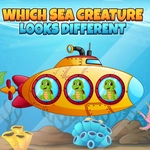
📝Which Sea Creature Looks Different Overview
One of these sea critters isn't like the others—can you spot the odd one out before your eyes glaze over?
💬What is Which Sea Creature Looks Different?
Which Sea Creature Looks Different drops you into a tank of cartoon ocean life and asks one simple question over and over: which one doesn't belong? Sometimes it's a crab with a missing claw, sometimes a pufferfish that forgot to puff. The differences start easy—a bright yellow fish in a school of blue—but then the game starts messing with you. It'll change colors, flip fins, or hide a starfish among five that look identical until you squint.
I kept expecting a relaxing brain teaser, but after round 15 my eyes were doing gymnastics. The timer isn't cruel, but it's not generous either; you'll feel it push you just as you're scanning the third row. What makes it click is the clean layout—no clutter, just a grid of sea creatures and a question mark hanging over the whole thing. Mouse or touch controls are instant, so you can tap fast when your brain finally catches the difference.
If you're playing with a younger kid, it doubles as a sneaky observation game: they call out the odd creature, you click. But don't underestimate it. Some levels use near-identical jellyfish that only differ by a tiny tentacle curl. That's where the real fun lives—the moment you almost give up, then the odd one practically winks at you.
👥How to Play Which Sea Creature Looks Different
Use mouse or touch pad to play this game.
✨Game Tips
Scan the edges first—your peripheral vision catches color breaks faster than staring at the middle.
Tap or click twice if you're sure; the game registers instantly but don't spam random critters in timed levels.
Look for broken patterns in eyes and fins, not just body color.
Let a younger player call out the odd one while you handle the mouse—that's the best two-player mode.
When jellyfish levels show up, compare tentacle lengths left to right.
If you get stuck, blink and look away for two seconds; resetting your focus beats guessing.
🔧FAQ
Q: Is Which Sea Creature Looks Different free to play?
A: Yes, it's completely free in your browser with no paywalls or locked levels.
Q: Can I play Which Sea Creature Looks Different on my phone?
A: Yes, the touch controls work on mobile browsers just as well as a mouse.
Q: Do I need to download or install anything?
A: No download needed. It runs in any modern browser as HTML5.
Q: What age is this game good for?
A: It's great for kids developing observation skills, but adults will still get stumped on later rounds.
Q: How many levels are there?
A: The game cycles through increasingly tricky sea creature grids; it doesn't have a fixed end screen.
Q: Does it need an internet connection?
A: Yes, since it's an online browser game, you'll need a connection to load it.