
Witch Word: Halloween Puzzle Game
Play Count0
Published2021-11-01
Supported DevicesPC + Mobile
CategoryArcade & Classic
Rating★★★★★5.0Rate this game
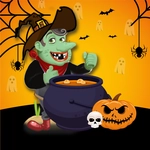
📝Witch Word: Halloween Puzzle Game Overview
Cast word spells by dragging glowing letters into place, chain bonus combos, and keep the witch's cauldron from boiling over in this spooky Halloween brain-bender.
💬What is Witch Word: Halloween Puzzle Game?
You've got a bubbling cauldron, a witch who's not exactly patient, and a grid of scattered letters. The goal is simple enough: spell the word that fits the clue before the timer drains. But the clues get sneaky fast. One moment you're spelling 'CAT' with a cackling black cat flickering in the corner; the next, the game asks for 'BROOM' while a swarm of animated bats swoops across the screen. I kept clicking the wrong tile because the letters are styled like dripping goo, and I genuinely lost a round to a word I didn't expect — 'EERIE' — which felt appropriate given the ambience.
Controls are just a mouse click or tap. Drag letters from the pile to empty slots, and if you place a wrong one, it snaps back with a soft squish. You can reorder letters by clicking them again, which saves your hide on longer words. There's no lives system; instead each level gives you a set time, and missing a word costs you a chunk of it. The difficulty curve is friendly for casual players but ramps once the game starts throwing in 6- and 7-letter monster names. The sound design is full of creaky floorboards and distant howls — not too loud, but enough to make you glance over your shoulder. If you enjoy word games with a seasonal twist, this one's a solid way to waste a lunch break without downloading anything.
👥How to Play Witch Word: Halloween Puzzle Game
Use Mouse (Left Button )To Play.
✨Game Tips
Always scan the clue word's length first — it tells you exactly how many letters to drag, so you won't waste time guessing.
Place common suffixes like -ING or -ED early; they often fit and narrow down the remaining letters fast.
If a letter snaps back, don't fight it. Click the slot again to remove a tile without penalty.
Use the first 10 seconds to find vowels — most Halloween words are vowel-heavy, and locking those in steadies the board.
Play with sound on; some clues have audio hints like a cackle when you're close to the right word.
🔧FAQ
Q: Is Witch Word: Halloween Puzzle Game free to play?
A: Yes, the game is completely free to play in your browser with no hidden paywalls or subscriptions.
Q: Do I need to download anything to play Witch Word: Halloween Puzzle Game?
A: No downloads required. It runs instantly in any modern web browser that supports HTML5.
Q: Can I play Witch Word: Halloween Puzzle Game on my phone or tablet?
A: Absolutely. The mouse controls also work as taps on touchscreens, so mobile play feels natural.
Q: Is Witch Word: Halloween Puzzle Game suitable for kids?
A: Yes, the puzzles are family-friendly and the Halloween theme is spooky but not scary. Younger players may need help with harder words.
Q: Does Witch Word: Halloween Puzzle Game have time limits?
A: Each level includes a countdown timer. You'll lose time for wrong guesses, so keeping a steady pace matters.
Q: What are the system requirements for Witch Word: Halloween Puzzle Game?
A: Any device with a modern browser and an internet connection can run it. No special hardware needed.