
Wood Block Brain Puzzle
Play Count0
Published2025-12-24
Supported DevicesPC + Mobile
CategoryArcade & Classic
Rating★★★★★5.0Rate this game
📝Wood Block Brain Puzzle Overview
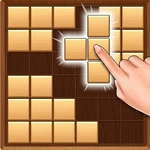
Drag those chunky wooden blocks onto the 10x10 grid and watch full rows vanish in a deeply satisfying crunch.
💬What is Wood Block Brain Puzzle?
You know that moment when the board is almost full and you spot the one gap that saves you? That's the whole rush of Wood Block Brain Puzzle. You get a random queue of wooden block shapes – some are neat little squares, others are awkward L's and T's – and you drag them onto a 10x10 grid. Fill a row or column completely and it disappears with a satisfying wooden clack. Sounds simple, right? Then you realize you left a single empty square in the corner and now you're praying for a one-by-one piece that never comes.
I kept coming back because the failures are always your own fault. You can't blame lag or bad teammates. The game gives you three piece options at a time, so you're constantly weighing whether to burn a big piece now or save it for later. Once I cleared four rows at once with a perfect L-shaped drop and felt like a genius for about three seconds – then the next piece was a 3x3 block and I had nowhere to put it. That's the loop: tiny victories followed by slow, agonizing board management. The wooden aesthetic is warm and tactile, almost like a physical toy, and the whole thing runs smoothly in a browser tab with zero setup.
Controls are pure mouse: press and hold the left button to grab a block, drag it over the grid, release to drop. There's no rotate button, which sounds limiting but actually forces you to think three moves ahead. If you're stuck on a school computer or just want a quick brain break, this is one of those games that eats twenty minutes before you notice.
👥How to Play Wood Block Brain Puzzle
Mouse Operated - Press & Hold left mouse button to pick and place blocks
✨Game Tips
Keep the middle of the board as open as possible; corner holes are death traps for awkward shapes.
Always check if a piece can clear both a row and a column at the same time before settling for one.
Save the 1x1 and 2x2 pieces for emergencies – they fit anywhere, but they'll save you when the board gets tight.
Don't just place the first piece you see; check all three options and imagine where the next piece might go.
If you can't clear a line right now, at least try to avoid creating single empty cells floating in the middle.
🔧FAQ
Q: Is Wood Block Brain Puzzle free to play?
A: Yes, it's completely free. No paywalls or premium upgrades – just open the page and start dragging blocks.
Q: Can I play Wood Block Brain Puzzle on mobile?
A: Yes, the game supports touch controls. Tap and drag blocks with your finger just like using a mouse.
Q: Do I need to download or install anything?
A: No downloads needed. It runs entirely in your browser as HTML5, so it works on most devices without extra plugins.
Q: Is Wood Block Brain Puzzle unblocked at school?
A: Usually yes on unblocked game sites. Since it's browser-based and doesn't need an app, it often bypasses network filters.
Q: How do I pick up and place blocks?
A: Hold the left mouse button on a piece, drag it onto the grid, and release to drop. You can't rotate pieces, so plan ahead.
Q: What happens when the board fills up?
A: The game ends. Your score is based on cleared lines, so the goal is to survive as long as possible by keeping the board clear.