
Word Blocks
Play Count0
Published2025-07-21
Supported DevicesPC
CategoryPuzzle & Thinking
Rating★★★★★5.0Rate this game
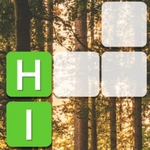
📝Word Blocks Overview
Start with vowels, keep the board clear, and watch those block towers collapse into points. It's a word game that punishes greed.
💬What is Word Blocks?
Word Blocks is exactly what the title promises: letters stacked in a cramped grid, and you're supposed to rearrange or tap them into words before the gaps fill up. The mouse-only control feels immediate — no keyboard, no drag tutorials, just click a letter and then click neighbors to chain something legible. It's deceptively calm until you realize the board doesn't care about your vocabulary warm-up. Vowels pile up in corners. Consonants clump like stubborn LEGO bricks. I spent my first few rounds trying to spell "cat" while the grid kept serving me Qs and Zs.
The catch (and it's a good one) is that longer words clear more tiles and rebuild your buffer. Three-letter words keep you alive; five- and six-letter words actually let you breathe. There's a rhythm to scanning the board: bottom row first, because that's where things get stuck, then check if an S can pluralize something you already see. If a word looks possible but one tile is out of reach, don't force it. Unclick and restart — the game won't penalize a hesitation, but it will punish a wrong chain. I once spelled "quiet" with a Q resting on a dead corner, and the resulting cascade cleared almost two rows. That's the moment the game clicks.
It's not about explosions or speed. It's about patience and pattern recognition. The art is simple, maybe too simple, but the letter tiles are chunky enough to read at a glance. Sound effects? Minimal. You won't need them. Word Blocks is best in short bursts — a round while waiting for something, when you want your brain engaged but not sweaty. If you're the type who plays Boggle or Wordscapes on your phone, this is the unblocked version you'll instinctively understand.
👥How to Play Word Blocks
Mouse click or tap to play
✨Game Tips
- Scan bottom rows first; that's where dead letters clog the board.
- An S or ED ending can turn a three-letter word into a five-letter clear.
- Don't commit to a chain unless every letter is adjacent — unclicking is free.
- Save long vowels like E and A for multi-word combos instead of wasting them on "me" or "at".
- If Q appears, park it in a corner and wait for a U to show up nearby.
- Restart the round if the opening board has no obvious two-letter words; fresh RNG beats fighting a bad layout.
🔧FAQ
Q: Is Word Blocks free to play?
A: Yes, it's completely free in your browser with no paywalls or forced ads.
Q: Can I play Word Blocks on mobile?
A: The game supports touch, so it runs fine on phones and tablets.
Q: Do I need to download anything?
A: No download needed. It runs as HTML5 in any modern browser.
Q: What if I get stuck with a board full of Qs and Zs?
A: Use short words to clear space, or restart the round for a new letter set.
Q: Is there a timer or move limit?
A: No timer. You can take as long as you want to plan each word.
Q: Does Word Blocks have multiplayer?
A: It's single-player only, focused on solo word puzzles.