
Words Search Classic Edition
Play Count0
Published2022-06-01
Supported DevicesPC + Mobile
CategoryPuzzle & Thinking
Rating★★★★★5.0Rate this game
📝Words Search Classic Edition Overview
Hunt down every hidden word before the grid convinces you it's not there—letters hide sideways, backwards, and diagonal in this classic word search fix.
💬What is Words Search Classic Edition?
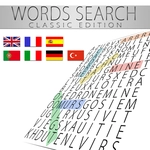
I’ve burned more lunch breaks on word searches than I care to admit, and this one scratches that exact itch. You get a clean grid of letters and a list of words hiding somewhere inside it—horizontal, vertical, diagonal, sometimes even backward. The trick isn’t just knowing the word; it’s training your eyes to slide across letter combos without overthinking. When you finally spot 'zephyr' running bottom-to-top in the bottom-left corner, you feel like a genius.
The controls are dead simple: click or drag across the letters to highlight the word. It locks in with a little color burst, and the word vanishes from your list. Miss a word? Nothing happens—no penalty, no buzzer. That relaxed pace makes it perfect for killing five minutes or settling your brain after a chaotic day. The levels pile up quickly, and each new grid shuffles the letters just enough to keep you hunting.
What surprised me is how much strategy sneaks in. I started scanning for rare letters first—Q, X, Z—because they anchor a word instantly. Also, once you find a few short words, the remaining letters pop out less cluttered. It’s not a test of vocabulary; it’s a test of patience and pattern recognition. If you liked the word searches in old puzzle books, this is exactly that, minus the pencil smudges.
👥How to Play Words Search Classic Edition
During each game you have a list of words to be found in a grid. Once the word is found highlight it. Complete all levels and have fun with this super word search!
✨Game Tips
Scan for uncommon letters like Q, X, Z first—they'll cut your search time in half.
Don't forget diagonals and backwards words; they're easy to miss if you only scan left to right.
If you're stuck on a long word, look at its first and last letters, then mentally trace possible paths from each occurrence.
Clear the short words early to reduce visual clutter around the remaining letters.
Use the word list as a checklist and re-read it between finds so you spot patterns faster.
Take a breath and scan row by row when the grid feels overwhelming—speed comes from calm scanning.
🔧FAQ
Q: Is Words Search Classic Edition free?
A: Yes, it's completely free to play in your browser with no hidden fees or paywalls.
Q: Can I play Words Search Classic Edition on mobile?
A: Yes, the game works on phones and tablets with touch controls for highlighting words.
Q: Do I need to download anything to play?
A: No downloads needed. It runs right in your web browser on any device.
Q: What makes this different from other word searches?
A: It has a clean layout, no time pressure, and a huge variety of levels with words in all directions.
Q: Is there a timer or scoring system?
A: No timer—you can take your time. The focus is on finding every word on the list.
Q: Can I get hints if I'm stuck?
A: Hints aren't included, but scanning for rare letters and clearing short words first usually helps.