
Workshop Tools Link
Play Count0
Published2023-09-21
Supported DevicesPC + Mobile
CategoryArcade & Classic
Rating★★★★★5.0Rate this game
📝Workshop Tools Link Overview
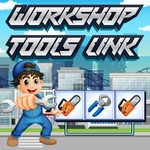
Pair up every wrench, drill, and saw before the timer chips away at your focus — just don't let the connecting path bend more than twice.
💬What is Workshop Tools Link?
I'll admit I rolled my eyes at yet another tile-matching thing. Then I spent twenty minutes trying to clear a board full of hammers, pliers, and paintbrushes. Workshop Tools Link does the simple trick well: identical icons have to be connected, and the line can only bend twice. Sounds easy until the obvious pairs are gone and you're stuck staring at a screwdriver that's three turns away from its twin.
The board fills with scattered workshop junk, not just tools—maybe wrenches, saws, drills, safety goggles, paint cans. You're not matching rows or swapping; you click one tile then its counterpart, and the game draws the shortest valid path. If that path needs a third corner, it won't connect. That's where the spatial thinking hits. I kept losing to a pair of tape measures buried behind a zigzag of clamps. The real trick is clearing from the outside inward, because edges and corners give you more room for a clean two-turn line.
It's relaxed until it isn't. There's no complex story, no upgrades—just a clean interface and a board that resets when you outsmart yourself. Works great with a mouse, but a trackpad works if you're patient. If you like Onet-style link puzzles or just want a coffee break brain teaser, this one's easy to pick up and surprisingly hard to put down.
👥How to Play Workshop Tools Link
Use a mouse or touchpad to connect two blocks of identical tools.The Connecting Line between two matching tools can have only two turns.
✨Game Tips
Clear corner and edge tiles first; they open up wider two-turn lanes for later pairs.
Before clicking, trace the route with your eyes—if it needs a third bend, skip that pair until the path clears.
Don't save easy pairs for later. Grabbing them fast frees up the middle of the board.
If a tool seems impossible to reach, look for blockers around it; remove those first.
Use the shortest legal connection, not necessarily the most visually obvious one.
When stuck, scan the board in columns from top to bottom instead of jumping around randomly.
🔧FAQ
Q: Is Workshop Tools Link free?
A: Yes, it's completely free to play in your browser with no download or sign-up.
Q: Can I play Workshop Tools Link on my phone?
A: Yes, the game works on mobile browsers and responds to taps just like mouse clicks.
Q: Do I need to install anything to play?
A: No, it's an HTML5 game that runs directly in your web browser.
Q: What is the main rule for connecting tools?
A: Match two identical tool icons with a path that bends at most two times.
Q: Can I use a trackpad instead of a mouse?
A: Absolutely, a trackpad or touchscreen works fine for selecting tiles and drawing connections.
Q: What should I do if I get stuck?
A: Try clearing tiles from the edges first, or restart the board to get a fresh layout.