
World of Alice: Rocks Textures
Play Count0
Published2024-06-07
Supported DevicesPC + Mobile
CategoryPuzzle & Thinking
Rating★★★★★5.0Rate this game
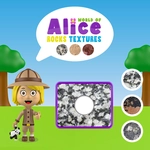
📝World of Alice: Rocks Textures Overview
Drag grainy, speckled, and glassy rock chips into their matching outlines before Alice's patience—and your streak—run dry.
💬What is World of Alice: Rocks Textures?
Alice has this little geology corner in her room, and the tray full of rock fragments won't sort itself. You get a row of textures at the bottom—rough sandstone, shiny obsidian, speckled granite, maybe a crumbly limestone—and a set of empty slots waiting up top. Your job is simply to drag the right texture into the right outline. Sounds easy? The tricky part is that some chunks look nearly identical until you zoom in mentally. I wasted a good ten seconds confusing a fine-grained basalt with a dark slate once, and the reset animation felt personal.
The game is part of a wider Alice educational series, so the learning angle is baked in, but it doesn't lecture you. It just shows you real rock close-ups and makes you match them. That tactile drag-and-drop feels satisfying on a touchscreen, and there's a gentle timing element that nudges you to stay focused. My favorite moments are when a texture you thought was sandstone turns out to have tiny quartz veins—then it all clicks. No clutter, no agonizing menus, just clean geology puzzles that reset fast if you miss.
For a quick brain warm-up or a covert way to teach kids about rock types, this one hits the spot. It's not going to replace a full field trip, but the images are clear enough that you'll start noticing textures in real pebbles. I kept coming back to beat my last clean-run time. If you like sorting, pattern matching, or just Alice's calm little room, give it a few minutes. It's free, unblocked, and weirdly moreish.
👥How to Play World of Alice: Rocks Textures
Drags the correct rock texture into place.
✨Game Tips
Zoom your eyes, not the screen; compare grain size and sheen before you drag.
Some textures differ only by color temperature—keep a mental note of warm vs cool stones.
Start with the most obvious match (usually the glittery obsidian) to build confidence.
If you hesitate, drag anyway; the game resets quickly and wrong answers teach the texture faster than staring.
Use a mouse for finer control on desktop, or a stylus on mobile for shaky fingers.
🔧FAQ
Q: Is World of Alice: Rocks Textures free to play?
A: Yes, it's completely free in your browser with no paywalls.
Q: Can I play World of Alice: Rocks Textures on my phone?
A: Yes, the drag controls work well on touchscreens and tablets.
Q: Do I need to download or install anything?
A: No download needed. Just open the page and start matching textures.
Q: What age group is this game best for?
A: Kids and adults who enjoy sorting, geology, or calm puzzle challenges.
Q: Does the game require sound or music enabled?
A: No, you can play silently; audio isn't essential for the matching.
Q: Are there different difficulty levels or timed modes?
A: The core mode stays simple with increasing texture variety as you progress.